- Join Our Company
- Email: sanjay@pjnetworks.com
- Phone: +91-9818361787


In September, a security researcher found a fake Cloudflare “Verify you are human” box sitting on a subdomain of Software Technology Parks of India. The box told visitors to open Windows Terminal, paste what the page had quietly copied to their clipboard, and press Enter. It was reported to STPI and CERT-In, and CSO Online’s account of the STPI case is worth five minutes of your time.
That trick has a name: ClickFix. If you are trying to stop ClickFix attacks, start with an uncomfortable fact. Your mail gateway, your sandbox and your download scanning were never in the path. A person opened a shell and ran the attacker’s command for them.
The short answer: you stop ClickFix attacks by taking the Run box and script hosts away from staff who never need them, making the second-stage download fail at DNS and web filter, writing a handful of detections that tie a browser visit to a shell launch, and rehearsing the first hour of response. Training helps only alongside those controls.
MITRE ATT&CK tracks this as T1204.004, Malicious Copy and Paste. The lure varies: a fake CAPTCHA, a “your browser needs a fix” banner, a document that supposedly won’t render, a meeting page with a broken microphone. The mechanics barely change. A script on the page writes a command to the clipboard, and the instructions say press Windows+R, then Ctrl+V, then Enter.
Attackers adapt when defenders close one door. Microsoft has described a variant that tells victims to press Windows+X and then I, which opens Windows Terminal directly and skips the Run dialog altogether; SecurityWeek’s summary notes that chain ended in the Lumma infostealer. Mac users get the same treatment with Terminal.

Why does it land so well here? Indian users solve CAPTCHAs all day on bank, tax and government portals, so one more “prove you’re human” box feels normal. Add plant and branch PCs where staff still have local admin rights, and an IT team of three covering five sites, and you have a technique that rarely needs an exploit at all.
What follows the paste is usually an infostealer, so the real damage is stolen browser passwords and session cookies. We covered that half of the story in our piece on detecting credential-harvesting malware. This post is about cutting the chain before and just after the paste.
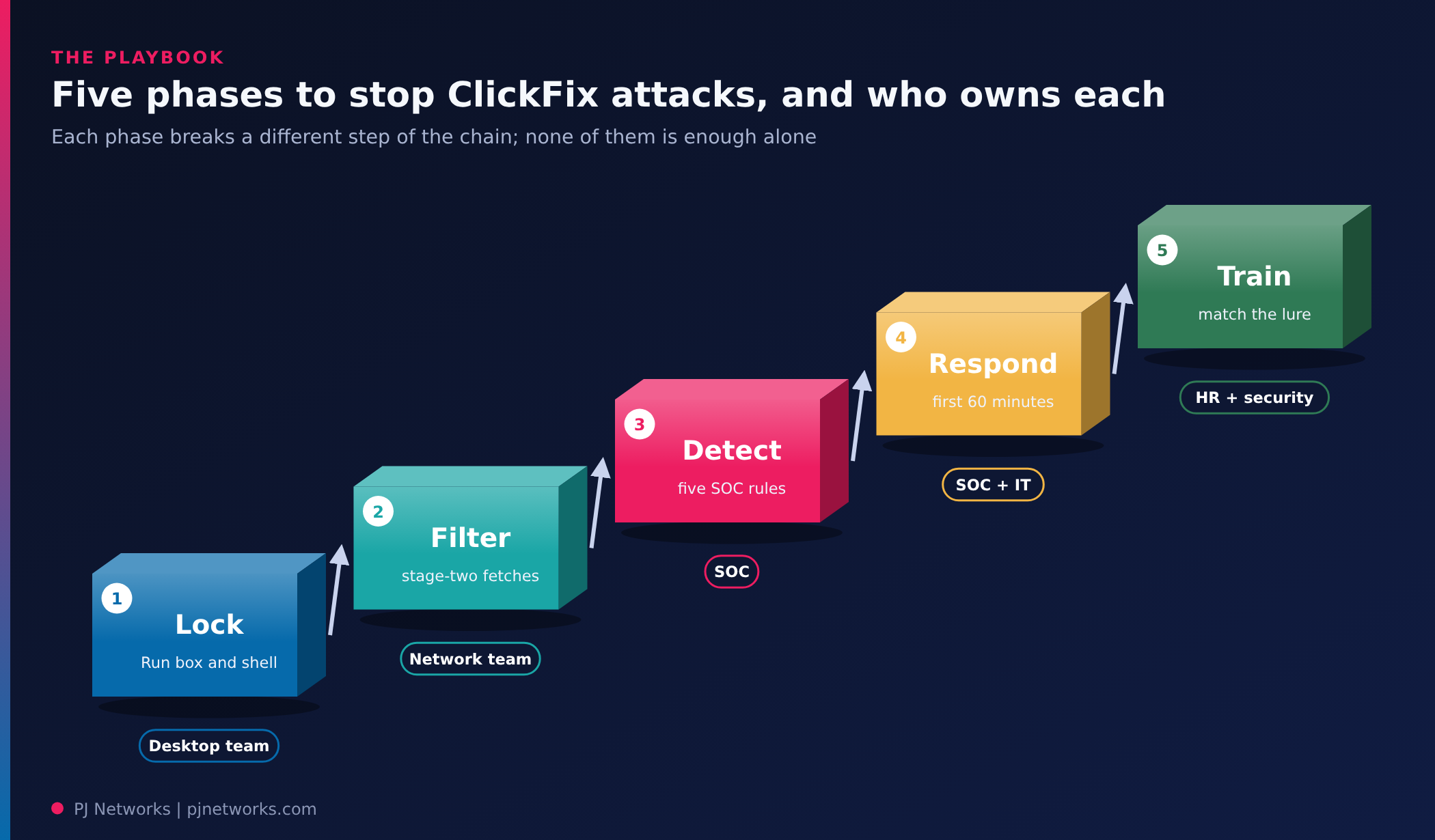
We run this as five phases with named owners, because the work sits across three teams that rarely share a ticket queue. Phase 1 is the cheapest and removes the most risk. Phase 5 is the one most companies start with, which is backwards.
| Phase | Owner | What gets done | Done when |
|---|---|---|---|
| 1. Lock | Desktop team | Run box removed, PowerShell constrained, script hosts blocked for standard users | Policy enforced on every non-IT OU |
| 2. Filter | Network team | New-domain categories blocked, script downloads stopped, same profile on every branch | A test fetch from a fresh domain fails at HQ and one branch |
| 3. Detect | SOC | Five rules live, tuned against the IT admin OU | A red-team paste raises an alert in under ten minutes |
| 4. Respond | SOC and IT | First-hour runbook written and rehearsed once | Sessions revoked inside 15 minutes in the drill |
| 5. Train | HR and security | One-rule message, simulated fake CAPTCHA in the phishing programme | Report rate tracked alongside click rate |
Start with the Group Policy setting “Remove Run menu from Start Menu” under User Configuration, Administrative Templates, Start Menu and Taskbar. It also disables Windows+R. Apply it to the standard-user OUs and leave IT staff alone. Most accounts, sales and plant users have never opened the Run box on purpose in their lives.
That alone does nothing about the Windows Terminal variant, so the bigger lever is PowerShell itself. Use App Control for Business (WDAC) or AppLocker so that standard users get PowerShell in Constrained Language Mode, which blocks most of the .NET calls a download cradle needs. While you are in AppLocker, block mshta.exe, wscript.exe and cscript.exe for those same users. Very few business applications need them.
Here is where it usually goes wrong. Somebody enforces AppLocker on a Friday, and on Monday the finance team’s GST reconciliation macro, a vendor’s install script and the plant’s label-printer utility all break. Run every rule in audit-only mode for two weeks, read the event log, then enforce. We’d also skip registry tricks that try to disable the Windows+X menu; the effort is better spent on Constrained Language Mode, which covers every way of reaching the shell.
Finally, take local admin rights off the machines where they linger. A pasted command running as a standard user in a constrained shell has very little room to work.
The pasted command is small. Its whole job is to fetch the real payload, often from a domain that is days old. That gives your network team a clean place to break the chain.
Block the newly registered domain category in your web filter and your DNS filter; FortiGuard and Palo Alto URL filtering both carry one, and most DNS security services do too. Turn on TLS inspection at least for uncategorised and newly registered categories, otherwise the filter only sees a hostname. Block downloads of script and executable types from uncategorised sites, which lines up with MITRE’s “restrict web-based content” mitigation.
On the endpoint, Windows Defender Firewall can block outbound internet access for powershell.exe and mshta.exe for standard users. Test this against your management and backup agents first, since some of them call PowerShell.
Then check the branches. If your SD-WAN breaks internet traffic out locally at each site, the Nagpur branch needs the same web filter profile as head office, or stage two simply arrives through Nagpur. We find mismatched branch profiles more often than any other gap in this phase.
MITRE’s own detection guidance for T1204.004 boils down to one idea: correlate browser activity with a command interpreter doing something odd shortly after. These five rules turn that into something you can deploy. We took the same rule-by-rule approach in our post on lateral movement detection with logs you already keep.
| Detection | Log source | Why it earns its place |
|---|---|---|
| A RunMRU value containing powershell, mshta, curl or a URL | Sysmon Event ID 13 or EDR registry telemetry | Windows records what was typed into the Run box under HKCU\Software\Microsoft\Windows\CurrentVersion\Explorer\RunMRU, so a paste leaves a fingerprint |
| explorer.exe or wt.exe launching PowerShell with hidden-window or encoded flags | Event 4688 with command line, or Sysmon Event ID 1 | Users almost never start a hidden, encoded shell by hand |
| Script block containing download-and-execute patterns | PowerShell Event ID 4104 | Catches the cradle even when the command line is obfuscated |
| A shell making an outbound connection to a domain under 30 days old | DNS logs plus Sysmon Event ID 3 or firewall logs | Joins the endpoint view to the network view |
| New scheduled task within minutes of any of the above | Event 4698 | Stealer chains commonly add persistence straight away |
Exclude the IT admin OU from the first two rules or they will drown you. Everything else should be quiet enough to page someone at 2 a.m.
Picture a 300-seat logistics firm in Bhiwandi (a hypothetical one). At 11:10 an accounts executive pastes a “verification code” into Windows Terminal. At 11:14 the SOC sees an encoded PowerShell launch from wt.exe followed by a connection to a domain registered last week. What now?

Assume the browser’s saved passwords and cookies are already gone. Isolating the laptop matters, but revoking that user’s sessions in Microsoft 365 or Google Workspace, the VPN and any SaaS tools matters more, because a stolen cookie works from anywhere. Look for new MFA methods, mailbox forwarding rules and OAuth app grants added in the last hour. Then block the stage-two domains everywhere and search DNS logs for anyone else who resolved them.
CERT-In’s April 2022 directions require listed incident types, including malicious code attacks, to be reported within six hours of noticing them. Whether one contained laptop crosses your threshold is a call for your legal and compliance team, so the first hour should produce a clean timeline they can decide from. Our hour-by-hour plan for CERT-In reporting covers that clock in detail, and the directions themselves sit on the CERT-In website.
Training comes last for a reason, but it still counts. Give staff one rule they can remember: no website, CAPTCHA or support page will ever ask you to press Windows+R or open Terminal. Put a fake CAPTCHA into your phishing simulations, translate the message into the languages your plant staff actually read, and measure how many people report the page as well as how many paste.
The phases above work with any tooling. The hard part is that the evidence for one ClickFix incident lands in four places: the endpoint console, the firewall or DNS filter, the identity provider and the ticketing tool. This is where we bring in PrahiX Ora, a unified SecOps platform built by PrahiX Tech Pvt Ltd, which PJ Networks deploys and operates for clients as its primary field partner. Its PrahiX Uni product puts SIEM, SOAR and network monitoring on one engine, and our PrahiX Ora SIEM and SOAR page explains how we run it.
Plenty of Indian mid-market firms run Sophos end to end, and for good reason: Intercept X has strong behavioural protection on the endpoint, and Sophos Central gives one console for Sophos endpoints, firewalls, switches and access points. The gaps show up when the incident leaves Sophos territory.
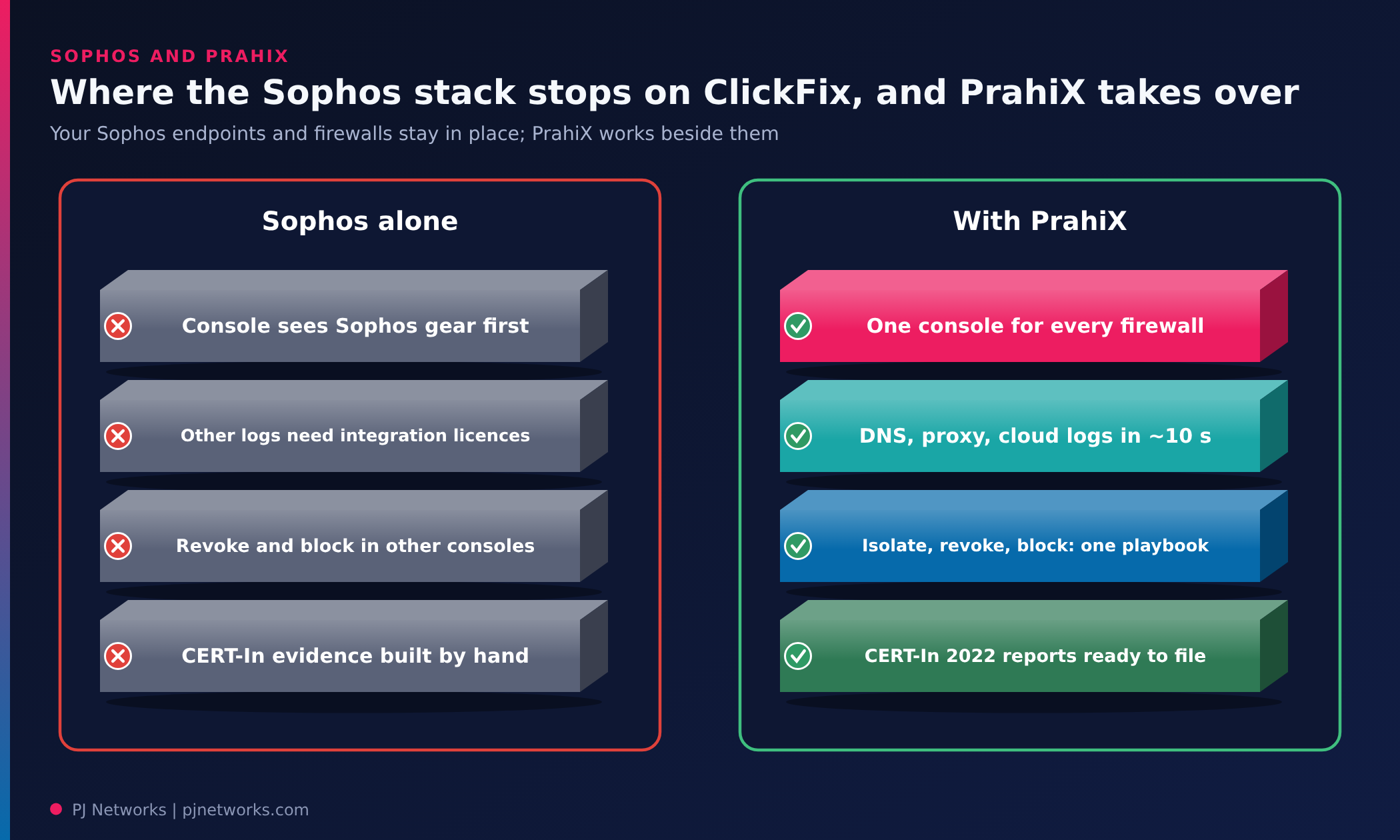
| With Sophos alone | With PrahiX |
|---|---|
| Sophos Central covers Sophos devices first; a FortiGate at a branch or a Palo Alto in the data centre sits in another console | One console with pre-built connectors for FortiGate, Palo Alto, Sophos, Check Point and Cisco ASA, every event tied to its asset, site and user |
| Sophos XDR is built on Sophos telemetry first; third-party DNS, proxy and cloud audit logs need integration licences | Syslog, Windows events, DNS, NetFlow and cloud and SaaS audit logs arrive within about ten seconds, deduplicated, and are kept 180 days |
| Revoking a Microsoft 365 session or blocking a domain on another vendor’s firewall is done in that vendor’s console | One playbook isolates the host, revokes the token and blocks the domain, with approval gates where you want them |
| CERT-In evidence is assembled by hand from several exports | Reports mapped to CERT-In 2022, DPDP Act 2023, the RBI IT framework and SEBI CSCRF, ready to submit |
| Alerts arrive per product, leaving the analyst to rebuild the sequence | A graph-based attack storyline runs from initial access to impact |
Your Sophos endpoints and firewalls stay exactly where they are. PrahiX reads from them and works beside them.
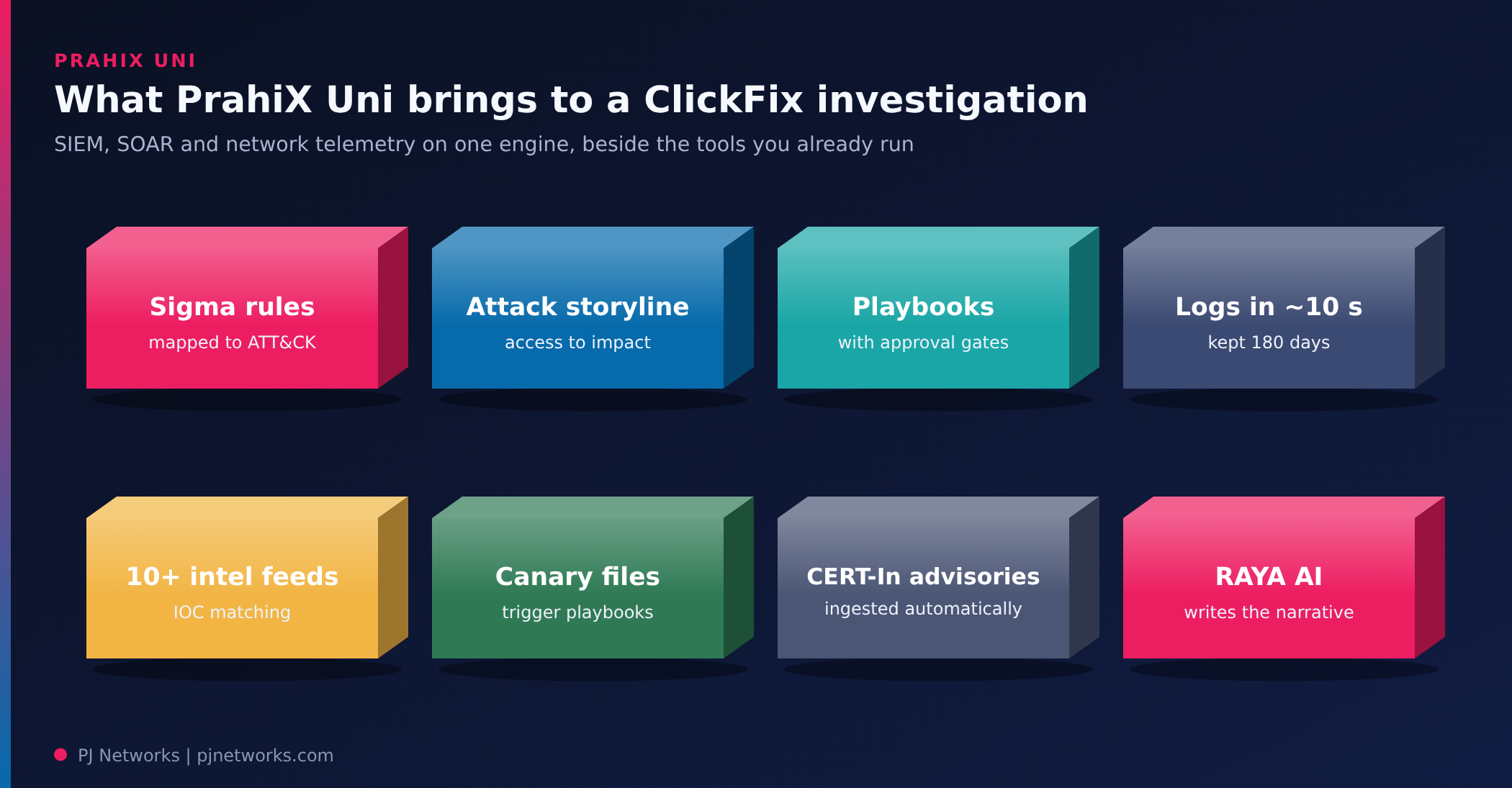
Uni’s detections are Sigma-based and mapped to MITRE ATT&CK, with kill chain tracking and UEBA risk scoring. That matters for the five rules above, because they span endpoint, DNS and firewall data that normally sit in different products. Rules, playbooks and integrations can be kept as version-controlled code, so a tuning change has an author and a history. IOC matching runs against more than ten threat intelligence feeds, and CERT-In advisories are pulled in automatically, which is handy when CERT-In publishes indicators for a campaign like the STPI one.
Because detection and response share one engine and one data model, a playbook sees the whole incident object rather than a single alert. For our Bhiwandi example, one playbook can isolate the laptop through the EDR connector (CrowdStrike, SentinelOne, Carbon Black and Microsoft Defender are pre-built, and other stacks connect by REST API or webhook), revoke the user’s sessions through Azure AD or Google Workspace, block the domain on the firewalls, and open a ServiceNow or Jira ticket with a Teams message to the IT head. RAYA AI, the agent inside Ora, then writes the incident narrative and an executive summary, which is exactly what your legal team needs for the six-hour decision. Every action lands on one audit trail.
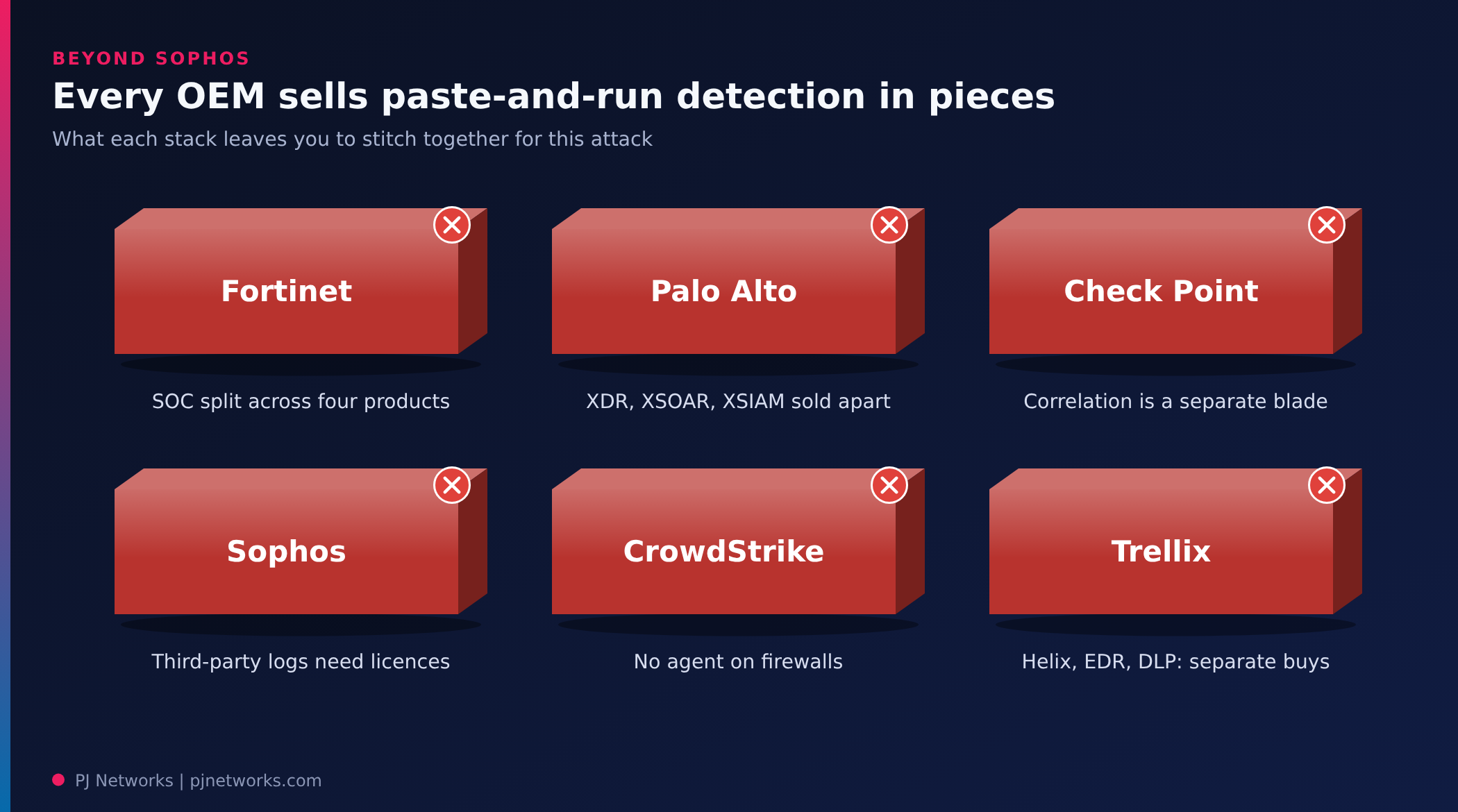
The pattern is the same whichever badge is on your firewall. Each OEM detects well on its own telemetry and sells correlation and response as additional products.
| OEM | What you get, and where it stops |
|---|---|
| Fortinet | FortiEDR sees the shell launch; a full SOC means FortiSIEM, FortiSOAR, FortiEDR and FortiAnalyzer, separately licensed, with the deepest context on Fortinet telemetry |
| Palo Alto Networks | Cortex XDR covers the endpoint; Cortex XSOAR and XSIAM are separate products, and Panorama manages PAN-OS firewalls only |
| Check Point | Gateways are managed centrally; SmartEvent correlation is a separately licensed blade and Infinity XDR/XPR is another subscription |
| Sophos | Intercept X and Sophos XDR work best on Sophos telemetry; third-party sources need integration licences |
| CrowdStrike | Falcon catches paste-and-run behaviour on endpoints, but firewalls and switches cannot run the agent, and Next-Gen SIEM ingestion is licensed by volume |
| Trellix | ePO manages Trellix agents; Helix, Trellix EDR and Trellix DLP are separate products |
| PrahiX | One engine reads all of the above, correlates endpoint, DNS, firewall and identity data, and runs containment across vendors from one playbook |
PrahiX Data Protection watches 12 data movement channels, clipboard and browser uploads among them, and finds Aadhaar, PAN and other Indian identifiers on the affected laptop, so you know whether the DPDP breach clock applies. PrahiX Guest keeps contractor and visitor devices on a separate, recorded network, away from staff VLANs. The camera monitoring system, the video surveillance (VMS) product, puts video and access control on one timeline, which settles who sat at a shared plant-office PC at 11:10. RAYA AI’s morning summary flags overnight paste-and-run attempts before your first coffee. See the PrahiX SIEM and SOAR integration for the full connector list.
It is a social-engineering technique where a web page or email persuades someone to paste and run a command themselves, usually behind a fake CAPTCHA or error message. It isn’t limited to Windows; Mac and Linux users are told to paste into Terminal. Because the victim launches the command, no malicious attachment ever needs to reach the mailbox.
It removes the most common route, but attackers already tell victims to press Windows+X and then I to open Windows Terminal instead, or to paste into the File Explorer address bar. Treat Run removal as a quick win and put the real effort into Constrained Language Mode for PowerShell and blocking mshta and script hosts for standard users.
Signature-based antivirus has little to scan at first, since the opening step is a typed command rather than a file. Behavioural EDR does better, because an encoded PowerShell launched from explorer.exe or wt.exe is unusual. The strongest signal comes from joining the endpoint event with DNS and firewall logs showing a connection to a freshly registered domain.
Malicious code attacks are among the incident types in CERT-In’s April 2022 directions, which set a six-hour reporting window from when you notice the incident. Whether a contained, single-device event qualifies is a judgement for your legal and compliance team. Keep the timeline, logs and containment record either way, because you may need them.
Pick twenty machines outside IT, across head office and two branches, and pull the RunMRU values with your EDR or a short script. Anything that isn’t an IT shortcut deserves a closer look, and a clean result tells you Phase 1 can wait a sprint. It is an hour’s work, and it tells you more about your exposure than any vendor slide.
If you would rather have a second pair of eyes on the hunt, our managed SOC services team runs it as part of onboarding. For organisations that want help on standby when someone does paste, an incident response retainer puts our analysts on the first hour with you.