- Join Our Company
- Email: sanjay@pjnetworks.com
- Phone: +91-9818361787


Picture a 40-branch pharma distributor with its head office in Ahmedabad. At 11:20 on a Tuesday, the fibre into the Indore branch goes dark because a road crew has cut it. The firewall does exactly what it was told: it marks the primary link down and moves traffic to the broadband backup. Its dashboard shows green. The branch still cannot bill a single order.
Nobody at head office knows for forty minutes. The branch manager eventually calls the IT head’s mobile, and the first question back is “but we have dual ISP failover for branches, don’t we?” They do, on paper. What they don’t have is a failover that was ever tested against the things the branch actually uses: the ERP over the tunnel, the GST portal, the bank’s payment gateway and the phones.
We run the NOC for estates like this, and almost every branch failover failure we see is a design or testing gap rather than a hardware fault.
The short answer: dual ISP failover for branches works when three things are true. The health check probes the services the branch depends on, rather than the ISP gateway. The two links are physically and commercially independent. And somebody pulls the primary link on purpose every quarter, records what broke, and fixes it before a real outage does the test for them.
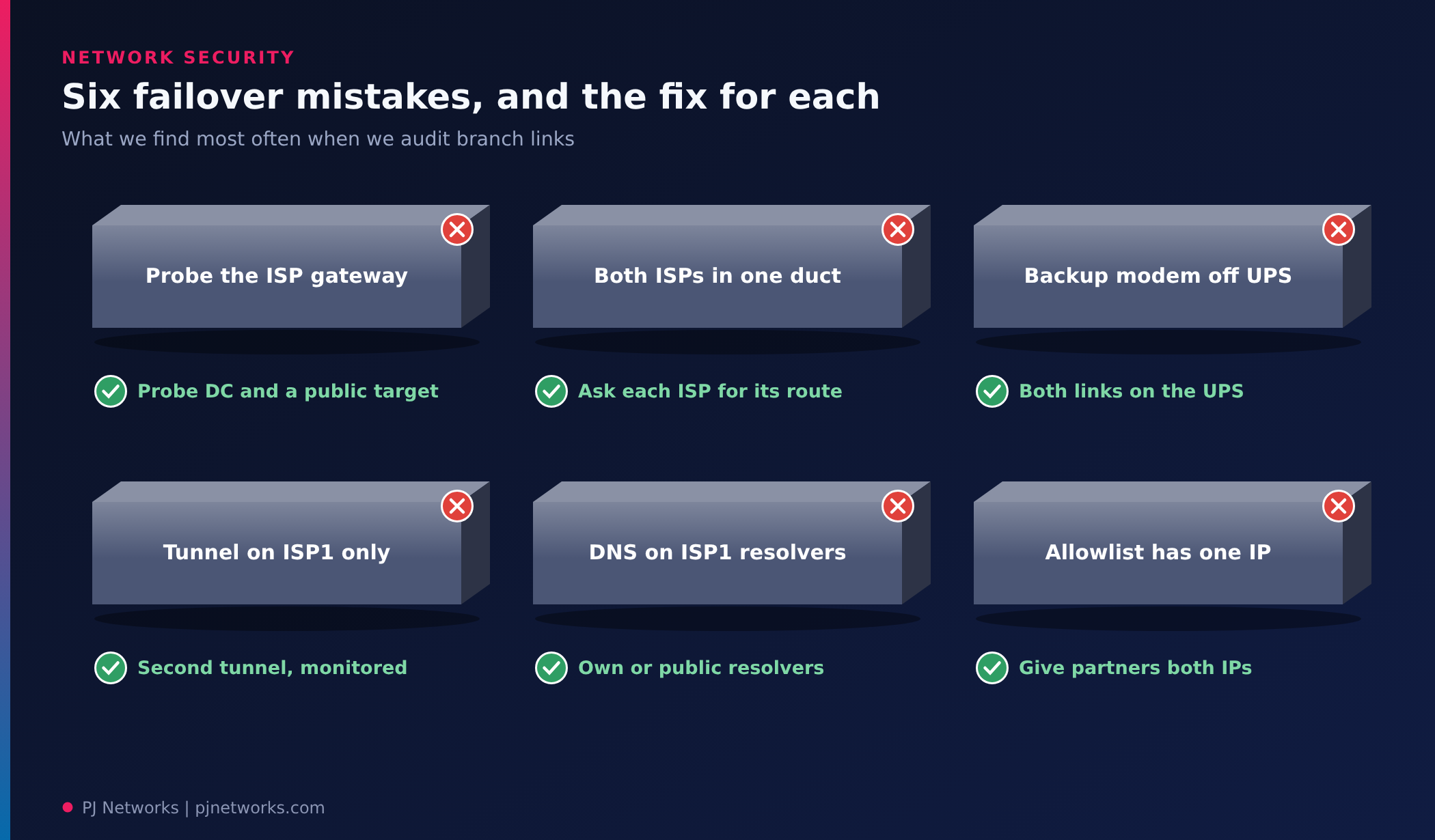
The most common mistake we find is a health check that pings the ISP’s own gateway, or a public DNS resolver, and nothing else. That probe tells you the first hop is alive. It tells you nothing about whether the IPsec tunnel to your data centre is passing traffic, whether the ISP’s upstream is congested, or whether the line is dropping one packet in twenty while still technically “up”.
Broadband lines in tier-2 towns rarely fail cleanly. They degrade: latency climbs in the evening, loss creeps up when it rains, and a gateway-only check keeps the branch on a dying link for hours.
The fix is to measure quality as well as reachability, and to aim the probes at what matters. Every major firewall can do this now. On Palo Alto Networks firewalls, an SD-WAN path quality profile sets thresholds for latency, jitter and packet loss per application group, and the firewall picks a new path when a link breaches any of them. FortiGate calls the same idea performance SLAs. The feature exists everywhere; the defaults are rarely right for your traffic.
We use at least two probe targets per link, because one target going quiet is far more likely to be that target’s problem than your link’s. One sits on the far side of the tunnel (a server or loopback at the data centre), and one is a well-run public service. Then we set thresholds per application class: voice and the billing app get tight loss and jitter limits, backups and Windows updates get loose ones.

There is a trade-off here, and it’s where people overcorrect. Very aggressive timers on a noisy broadband line make the branch flap between links every few minutes, which is worse than a clean outage because every flap drops sessions. We would rather fail over a little slower and stay put. That means a sensible hold-down before failing back, and failback only after the primary has looked healthy for a sustained period, not for one good probe.
Two ISPs are only two paths if they fail for different reasons. In a lot of Indian commercial buildings, both “independent” providers come up the same riser, cross the same pole on the street, and sometimes ride the same local cable operator’s last mile under two different brand names. One JCB, one fire in the electrical room, and both links go together.
Ask each provider, in writing, how their last mile reaches your building and which exchange or point of presence it terminates on. You will at least find out when both are reselling the same fibre.
The second half of this mistake is power. We regularly find the primary ONT on the branch UPS and the backup modem plugged into a wall socket behind the reception desk. During a power cut (the most common outage in many towns) the backup dies first. Put both on the UPS.
4G and 5G backups deserve their own warning. They are a fine third path and often a reasonable second path for small branches, but check three things before you rely on one. The data plan has to survive a full working day of the branch’s traffic. Carrier-grade NAT changes how you build the tunnel home. And basement signal is not car-park signal.
Moving the default route is the easy part of failover. The hard part is everything that was quietly tied to the primary link’s public IP address.
Start with the tunnel. If the branch only has an IPsec tunnel built over ISP1, failing the internet over to ISP2 does nothing for the ERP. You need a second tunnel over the backup link, already up and monitored, with routing that prefers the primary and moves without someone typing commands.
Then look at DNS. Plenty of branch firewalls still forward DNS to ISP1’s resolvers, and some refuse queries arriving from another provider’s address space, so after failover the branch reports “internet down” on a healthy link. Point branch DNS at your own resolvers or a public service that answers anyone.
The last trap is allowlisting. Payment portals, vendor extranets and your own data centre ACLs often allow only the branch’s primary public IP. When traffic leaves through ISP2, those services drop it. Keep a register of every external party that allowlists a branch IP, and give them both addresses before you need the second one.
Here is the uncomfortable truth. Most branch failover is tested once, by the installer, on the day the firewall goes in. Then changes pile up: a new SD-WAN rule, a swapped modem, a firmware upgrade. Eighteen months later, nobody can say whether failover still works.
We run a scheduled drill instead. It takes under an hour per branch, in a quiet window, and follows the same script every time so quarters can be compared. Here is the template we use.
| Step | What you do | What you record |
|---|---|---|
| 1. Baseline | Confirm both links and both tunnels are healthy; note current latency and loss | Screenshot or export of link health |
| 2. Pull the primary | Physically unplug the primary WAN cable (not an admin shutdown) | Time of pull |
| 3. Watch the switch | Time until traffic and the tunnel move to the backup | Seconds to failover, any flaps |
| 4. Test real work | Branch staff run a bill in the ERP, make a call, open the payment portal and the GST portal | Pass or fail for each, with errors |
| 5. Check the alert | Did the NOC get one clear alert, or a storm, or nothing? | Time of first alert, alert count |
| 6. Restore | Plug the primary back in and watch failback | Seconds to failback, sessions dropped |
| 7. Fix and file | Raise tickets for every failure; keep the record with the branch’s network documents | Ticket numbers, owner, due date |
Pull the cable rather than shutting the interface from the console. A real failure is often a link that stays electrically up while the ISP upstream is dead, and that is exactly the case your health checks need to catch.

If the first you hear about a failover is a phone call from the branch, your monitoring is watching devices rather than service. A firewall that has failed over successfully is, from its own point of view, healthy. Meanwhile the backup link carries everything, with no backup of its own.
Treat “running on backup” as an open incident with an owner, not as a state that resolves itself. That means an alert when the primary goes, an ISP ticket with timestamps, and a daily list of branches on their secondary path, which is usually longer than anyone expected.
The opposite failure is just as common: one dead uplink at a hub site produces a page for the firewall, every switch behind it, every access point, every camera and every branch tunnel that terminates there. The on-call engineer gets two hundred alerts and has to work out which one is the cause. Correlating by topology, so the dead link is the alert and everything downstream is context, turns an hour of triage into minutes. We covered how to judge that capability in our guide to picking a multi-vendor network monitoring tool.
Keep the evidence, too: a month of loss and latency history gets a faster answer from an ISP account manager than “it keeps going down”. If a link failure ever overlaps with a security event, those logs feed straight into your CERT-In six-hour reporting timeline and the retention rules in our post on firewall log retention in India.
The fixes above work on any firewall. What usually breaks them at scale is visibility: forty branches, three firewall brands picked up over the years, two or three ISPs per site, and a different console for each. This is where we bring in PrahiX Ora, a unified SecOps platform built by PrahiX Tech Pvt Ltd. PJ Networks is its primary field deployment and operations partner, and PrahiX Uni is the product we deploy and operate for clients who need every branch link on one screen. The existing firewalls stay where they are and keep routing; Uni watches them all.
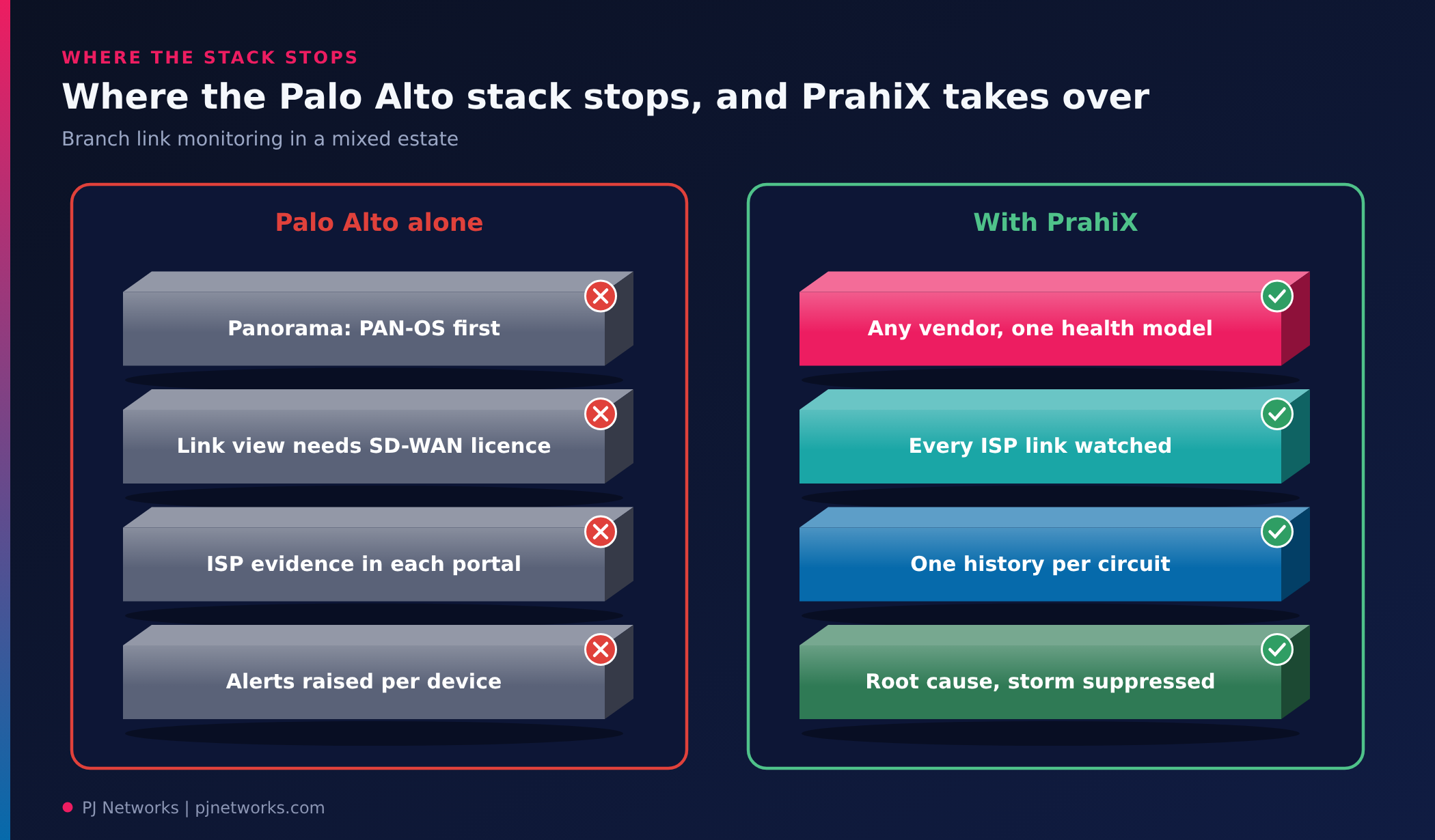
Palo Alto Networks firewalls do branch path selection well, with per-application quality thresholds and a clear Panorama view of SD-WAN sites. Panorama’s SD-WAN monitoring rates each link against its own seven-day average and exports site health. The limits show up when the estate is mixed.
| With Palo Alto alone | With PrahiX |
|---|---|
| Panorama manages and logs PAN-OS firewalls; branch switches, access points and other vendors’ firewalls need another tool | Agentless monitoring of any vendor over SNMP, syslog, NetFlow, SSH and vendor APIs, on one normalised health model |
| Link performance dashboards need the SD-WAN licence and Panorama plugin, and cover NGFW SD-WAN sites | Every ISP link watched, including branches running plain dual-WAN on another brand of firewall |
| ISP SLA evidence sits in each provider’s portal | One loss, latency and availability history per circuit, ready to attach to an ISP escalation |
| A failed hub uplink raises alerts per device | Topology-aware correlation names the failed link and suppresses the downstream storm, with up to 70% less alert noise |
| Automated response needs Cortex XSOAR or XSIAM, separate products | Self-healing built in, supervised or autonomous, verified, rolled back on failure and logged |
Uni takes configuration snapshots and shows diffs, so before each drill you can see what changed on every branch device since the last one, usually the reason a drill that passed in June fails in September. During the drill itself, the failover, the first alert and the failback land on one timeline, which is the record step 7 of the template asks for.
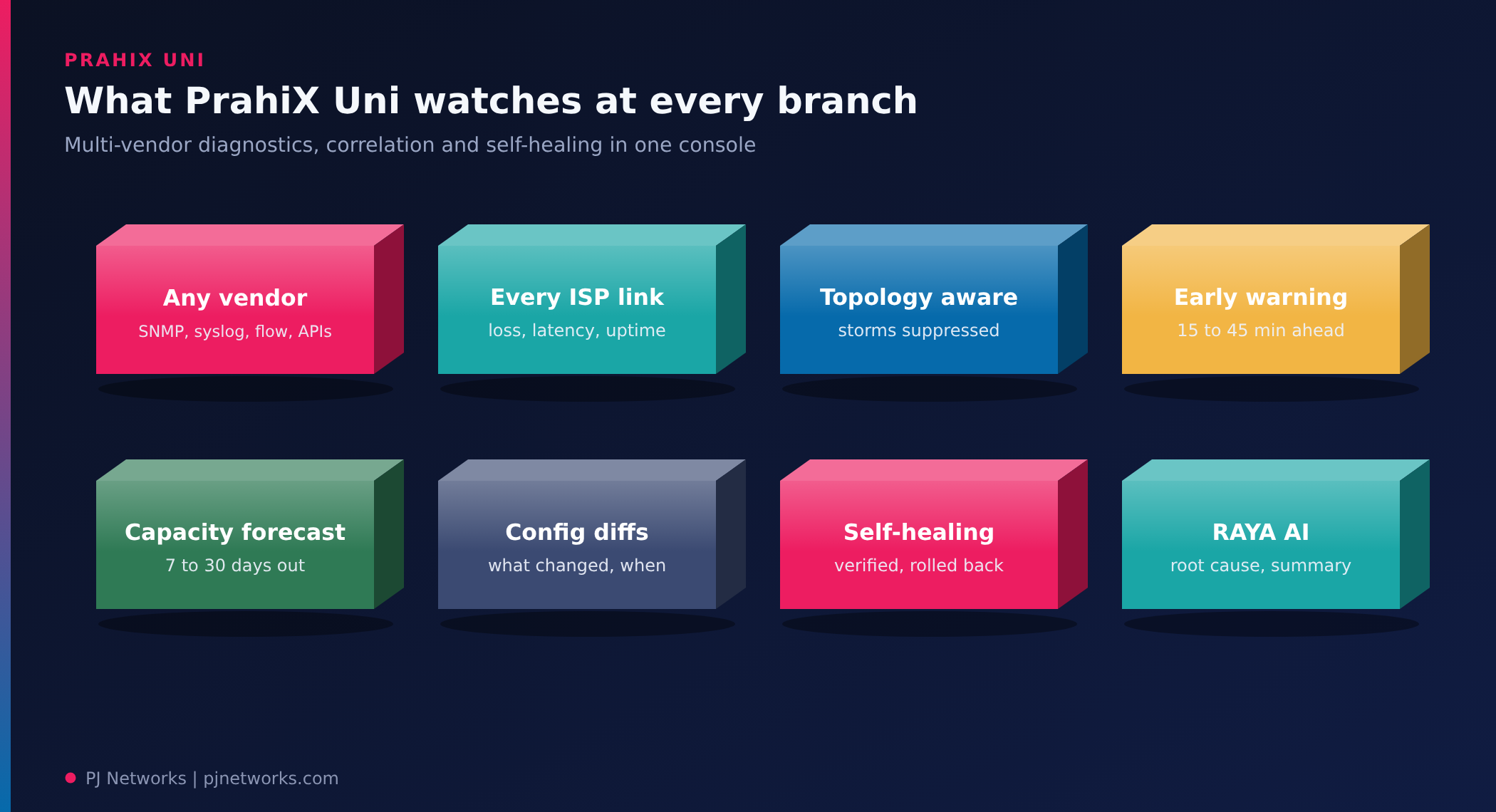
Mistake one was about links that degrade rather than die. Uni gives early warning 15 to 45 minutes before degradation and forecasts capacity 7 to 30 days ahead, so a backup link that is quietly running out of headroom shows up before the day it has to carry the whole branch. RAYA AI, the agent inside Ora, links the symptoms across layers, finds the root cause, writes the incident narrative, and sends a morning summary that can include which branches are still on their backup path. Where you allow it, it can act within the limits you set, asking for approval where configured.
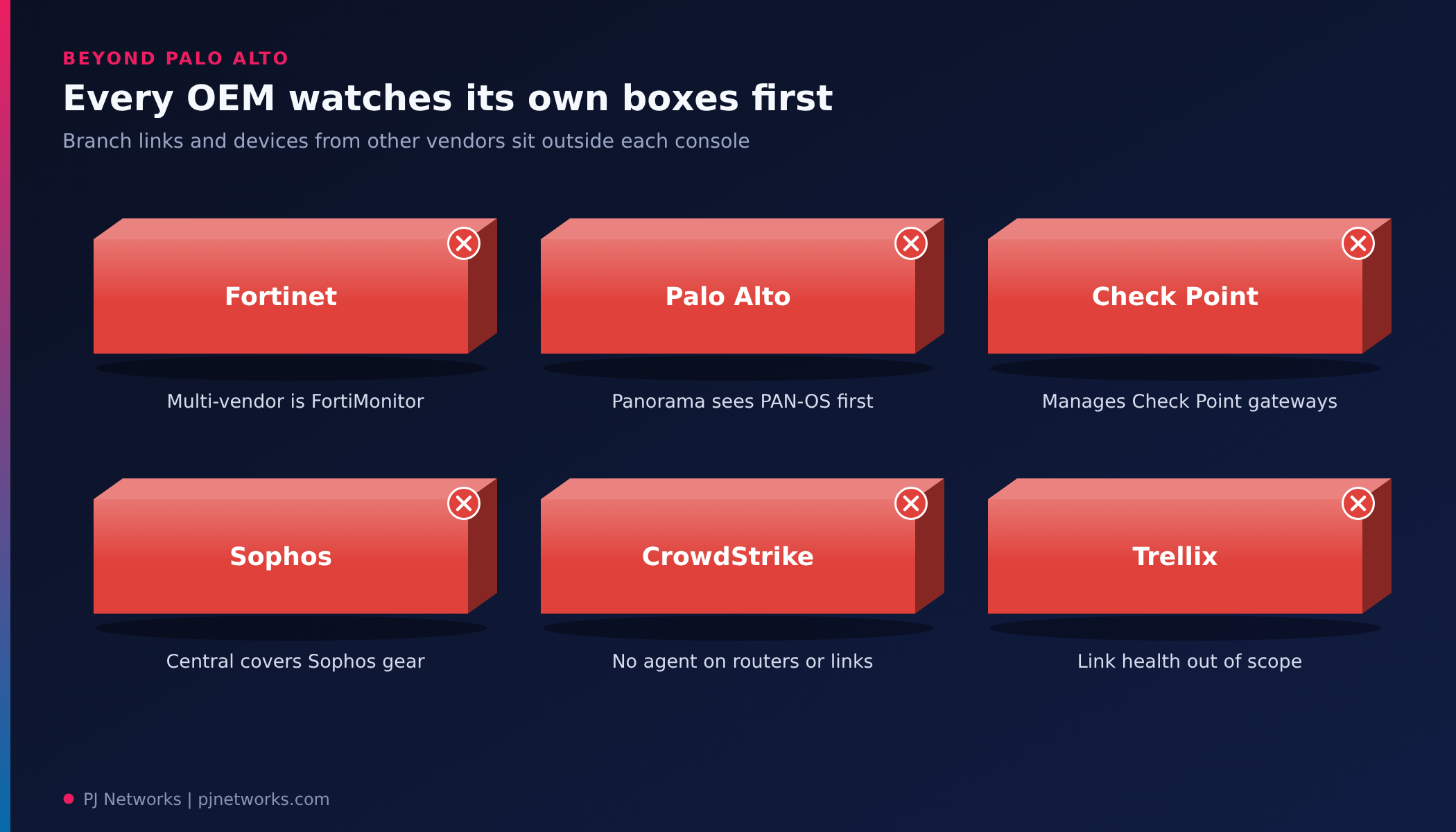
The gap is not specific to one brand. Each vendor’s console covers its own devices first, and most branch estates we inherit mix brands.
| OEM | What you get, and where it stops |
|---|---|
| Fortinet | FortiManager and FortiAnalyzer are built around Fortinet devices; multi-vendor monitoring is FortiMonitor, a separate product |
| Palo Alto Networks | Panorama manages PAN-OS firewalls; SD-WAN link monitoring needs the SD-WAN licence and plugin; switches and other vendors need another tool |
| Check Point | Security Management Server and SmartConsole manage Check Point gateways; SmartEvent correlation is a separately licensed blade |
| Sophos | Sophos Central manages Sophos firewalls, switches and APs; third-party devices sit outside it, and XDR needs integration licences for other sources |
| CrowdStrike | Falcon is agent-based; firewalls, routers and ISP links cannot run the agent, and network device health is outside its scope |
| Trellix | ePO manages Trellix agents and products; network device health and link monitoring are outside its scope |
| PrahiX | Every vendor’s firewalls, switches, wireless and ISP links on one health model, correlated by topology, with self-healing and one audit trail |
Uni’s multi-vendor diagnostics is the piece this post leans on, and the full PrahiX Uni product adds SIEM and SOAR on the same engine, so a link failure and a security event at the same branch sit in one incident. Our PrahiX Ora network monitoring page covers how we run it as a service. Branch cameras often go dark with the link, and the camera monitoring system / video surveillance (VMS) turns a camera that stopped recording into a ticket. PrahiX Guest keeps guest Wi-Fi sign-in and its consent record on premises at each site. PrahiX Data Protection watches the personal data that branch staff handle on their endpoints.
Agree a quiet window with the branch manager, often the first hour after opening or just before closing, and keep the test under an hour. Have one staff member ready to run a real transaction while you pull the primary cable. Warn the ISP helpdesk first so they don’t log a fault, and keep someone on site who can plug the cable back in.
For a small branch with light traffic, often yes, provided the data plan survives a full day of use and the signal holds where the router actually sits. For a branch running voice and heavy ERP traffic, treat mobile as the third path behind a second wired provider. Check how carrier-grade NAT affects your tunnel design before you depend on it.
Plain dual-WAN with good health checks covers simple active-standby failover well. SD-WAN earns its cost when you want both links carrying traffic at once, per-application steering, and quality-based decisions across many branches managed centrally. If your branches only need the backup to take over when the primary dies, fix the health checks first and buy SD-WAN later.
Fast enough that staff barely notice, slow enough not to flap. For most branches, a switch within tens of seconds is fine; voice calls may drop, but billing and ERP sessions usually survive a short pause. What matters more is that failback is deliberate and delayed, and that the NOC knows the branch is running on its backup path.
Pick your busiest branch that isn’t head office, book an hour with the branch manager, and run the seven-step drill above. Write down every service that failed. It’s far cheaper to find surprises on a planned Thursday than during a monsoon outage.
If you would like a second pair of hands, our SD-WAN and branch networking team runs these drills and the monitoring behind them for multi-site estates across India. We’re happy to start with a single branch and share what we find.