- Join Our Company
- Email: sanjay@pjnetworks.com
- Phone: +91-9818361787


“Can we just delete the rules nobody uses?” Some version of that question lands on our desk every audit season, usually from an IT head holding a firewall export that has crept past a thousand lines. Our answer on firewall rule base cleanup is always the same: yes, but only after you can prove “nobody” with evidence, not with a hit counter that quietly reset during last month’s firmware upgrade.
It sounds like housekeeping. In practice it’s a change programme touching every application owner, which is why most attempts stall. Someone removes a batch of obviously dead rules on a Friday, the payroll interface to the bank fails on the last working day of the month, and a change-freeze memo ends the project for another two years.
Below is the order we follow on Check Point, FortiGate, Palo Alto and Sophos estates, including where we deliberately go slower than clients would like.
The short answer: snapshot the policy first, then collect usage evidence across a full business cycle (at least 90 days, longer if you have annual jobs). Classify every rule, get a named owner to sign off, disable before you delete, and tighten broad rules last. After that, every new rule carries an owner, a ticket and an expiry date.

Before anybody opens the policy editor, take three things off the box. First, a full configuration backup, stored somewhere other than the firewall’s own disk. Second, an export of the rule base in a spreadsheet-friendly format, with rule numbers, names, comments, source, destination, service, action and the current hit count. Third, the date each hit counter started counting.
That third item is the one people skip. Depending on the platform and version, counters can reset after a reboot, an HA failover, a firmware upgrade or a policy reinstall. A rule that shows zero hits since a reboot nine days ago tells you almost nothing. Write the “counting since” date next to every number before you trust it.
Agree the change window now too. A cleanup should never share a slot with a firmware upgrade, because when something breaks you need to know which change did it.
Hit counters are a starting point. The proof comes from traffic logs, kept long enough to cover the way your business actually works. A manufacturer has a month-end close and a year-end stock count; a BFSI firm has regulatory submissions on fixed calendars. Either can wake up a rule that has slept for months.
Our working rule: 90 days of logs minimum before calling anything unused, and a manual check against the annual calendar for anything touching finance, statutory filings, backups to a DR site or vendor support access. If you’re already keeping firewall logs for the CERT-In direction, you have more history than you think; our note on how long Indian firms should keep firewall logs covers what that store should hold.
Two traps catch most teams. First, plenty of older rules have logging disabled, so the log store shows silence even when traffic flows. Switch logging on for every rule in scope at the start of Phase 2, then wait. Second, on an HA cluster read counters and logs from both members, because the standby may have carried traffic during last quarter’s failover.
Is 90 days slow? Yes, and it’s the cheapest insurance in the plan. Start Phase 3 on the obvious cases while the clock runs.
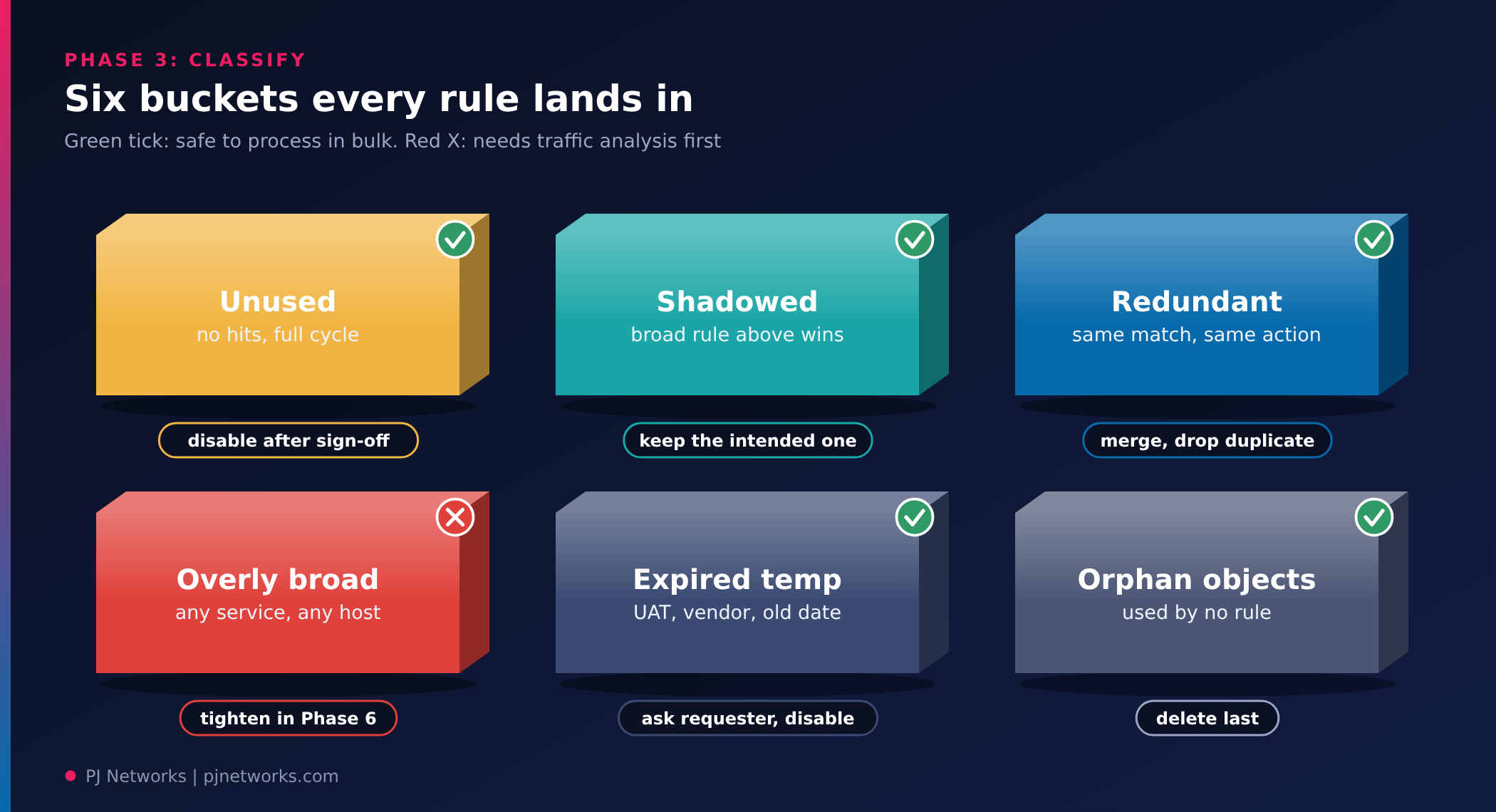
With evidence in hand, every rule goes into exactly one bucket. The table below is the one we hand to client teams; save it, because it doubles as the review record auditors ask for.
| Bucket | How you spot it | What we do | Risk of getting it wrong |
|---|---|---|---|
| Unused | No hits and no log entries across the full evidence window | Owner sign-off, then disable | Medium: annual jobs hide here |
| Shadowed | A broader rule above it matches the same traffic first, so it can never be hit | Decide which rule reflects intent, then remove the other | Low if you keep the narrower one |
| Redundant | Same match and action as another rule, often added twice by different engineers | Merge and disable the duplicate | Low |
| Overly broad | Any service, any destination, or large subnets where a few hosts would do | Leave for Phase 6 and tighten from real traffic | High if rushed |
| Expired temporary | Comment says “temp”, “UAT”, “vendor” or a past date | Contact the requester, then disable | Low to medium |
| Orphan objects | Address or service objects referenced by no rule | Delete after the rule work settles | Very low |
Shadowed rules deserve a moment. Firewalls read the rule base top-down and stop at the first match, so a specific rule placed below a broad one is dead weight that also misleads anyone reading the policy.

Here’s where it usually goes wrong: teams treat “shadowed” as “delete the lower one”. Often the lower rule is what the business wanted, and the broad rule above was a go-live shortcut. Then you keep the narrow rule and retire the broad one in Phase 6.
Every rule needs a human who will say “this is mine” or “this isn’t mine”. In a mid-market company that means the ERP lead, plant IT, whoever runs the bank and GST integrations, and the CCTV vendor’s contact. Send each owner a short list of their rules in plain language, not a raw export. “Allows the Chakan plant’s weighbridge PC to reach the SAP server on its application service” gets a reply. A row of object names does not.
Give owners a deadline and a default. Ours is ten working days, and silence means the rule joins the disable batch. You’ll get a few angry emails, and a finished cleanup.
Then disable, don’t delete. A disabled rule can be switched back on in seconds by the night-shift engineer; a deleted rule has to be rebuilt from the backup by someone who understands it. We keep disabled rules in place for one full month, covering one month-end, with logging on the cleanup rule at the bottom of the policy so any traffic that would have matched shows up as a deny we can trace.
This is the phase that actually reduces risk. Deleting unused rules makes the policy readable; tightening broad rules shrinks what an attacker can reach once they’re inside.
The method is plain. Pull 30 to 90 days of logs for the broad rule, group them by source, destination and service, and you’ll usually find the “any” is carrying a short list of real flows. Write narrow rules for those flows above the broad one, leave the broad rule in place with logging on, and watch what still hits it. When it goes quiet for a full cycle, disable it the same way as Phase 5.
What we’d skip: trying to tighten every broad rule in the first round. Pick the five that expose the most valuable systems (domain controllers, ERP database, backup server, finance file share, OT jump host) and do those properly.
Adding a rule is easy and removing one needs a meeting, so change the defaults at creation. Every new rule should carry, in its name or comment field, an owner, a ticket number and an expiry or review date. Temporary vendor access gets a hard expiry, set by the engineer who creates it, not by memory.
Then put a review on the calendar. If you handle card data, PCI DSS v4.0 requirement 1.2.7 asks for network security control configurations to be reviewed at least once every six months; the standard is published by the PCI Security Standards Council. Even if PCI doesn’t apply, a six-monthly light review plus an annual deep one is a sane rhythm, and it maps neatly to the network control safeguards in CIS Controls v8. Fold the review into the same calendar as the hardening checks from our FortiGate hardening checklist, so one meeting covers both.
One more habit: review rule changes as well as rules. A weekly diff of what changed in the policy, who changed it and against which ticket catches the “temporary” any-any rule within days instead of years.
Phases 2 and 7 are where cleanups fail in mixed estates. Plenty of Indian enterprises run more than one firewall brand: Check Point at the data centre, FortiGate or Sophos at the branches, sometimes Palo Alto in a cloud VPC. Each console answers questions about its own gateways. PrahiX Uni, part of PrahiX Ora, the unified SecOps platform built by PrahiX Tech Pvt Ltd, is the platform we deploy and operate for clients to hold that evidence in one place. Existing firewalls and their managers stay exactly where they are; Uni works alongside them.
Check Point’s management is genuinely good at policy work: SmartConsole shows hit counts per rule, and the Security Management Server keeps policy revisions. The limits appear when the review spans the estate and the calendar.
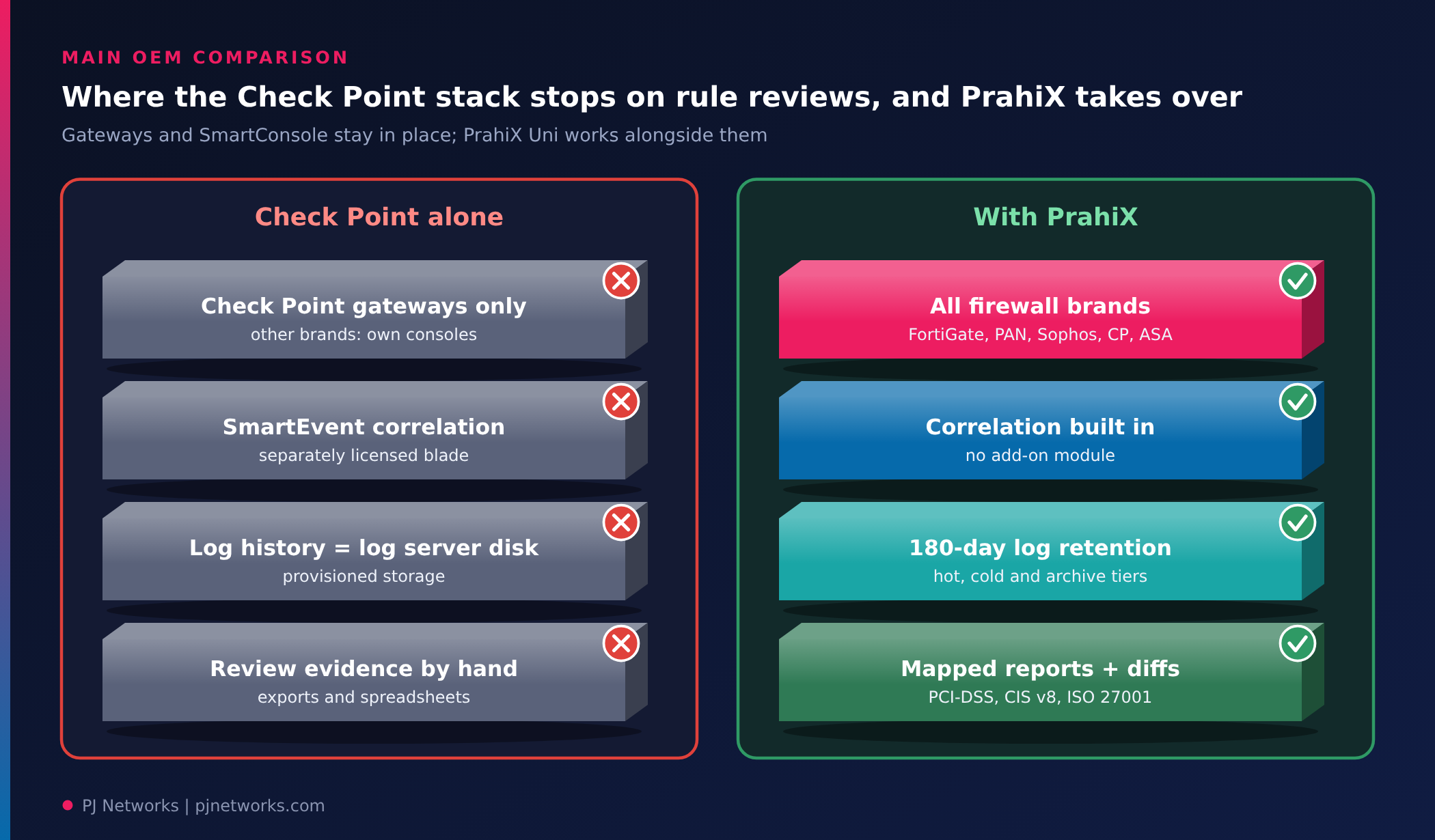
| With Check Point alone | With PrahiX |
|---|---|
| The Security Management Server and SmartConsole manage Check Point gateways; the FortiGate branches and Sophos sites need their own consoles and exports | Firewall logs from FortiGate, Palo Alto, Sophos, Check Point and Cisco ASA arrive in one store through pre-built connectors, so Phase 2 evidence is gathered once |
| Cross-gateway correlation needs SmartEvent, a separately licensed blade sized in correlation units | Correlation is part of Uni; no separate module or add-on to size and license |
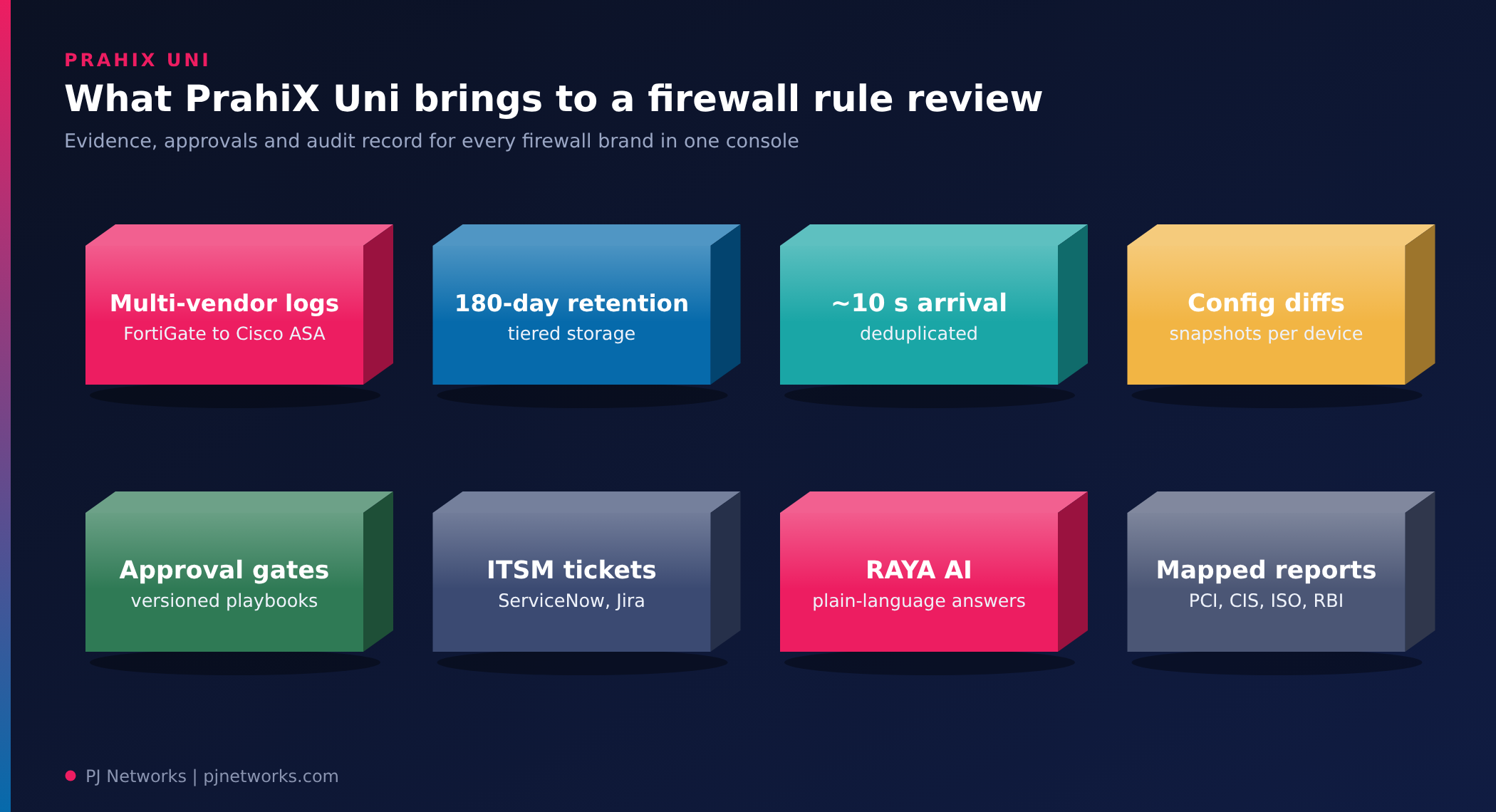
| Log history depends on the storage you provisioned for the log server | Logs are deduplicated on arrival and kept 180 days on tiered hot, cold and archive storage, enough to cover a quarter-end and more |
| Configuration history covers Check Point objects; switch ACLs and router filters live elsewhere | Configuration snapshots and diffs for the network devices Uni monitors, including Fortinet, Cisco, Juniper, Aruba and HPE |
| Review evidence for auditors is usually assembled by hand from exports | Reports mapped to PCI-DSS, CIS Controls v8, ISO 27001, the RBI IT framework and SEBI CSCRF, plus an immutable audit trail with before-and-after diffs |
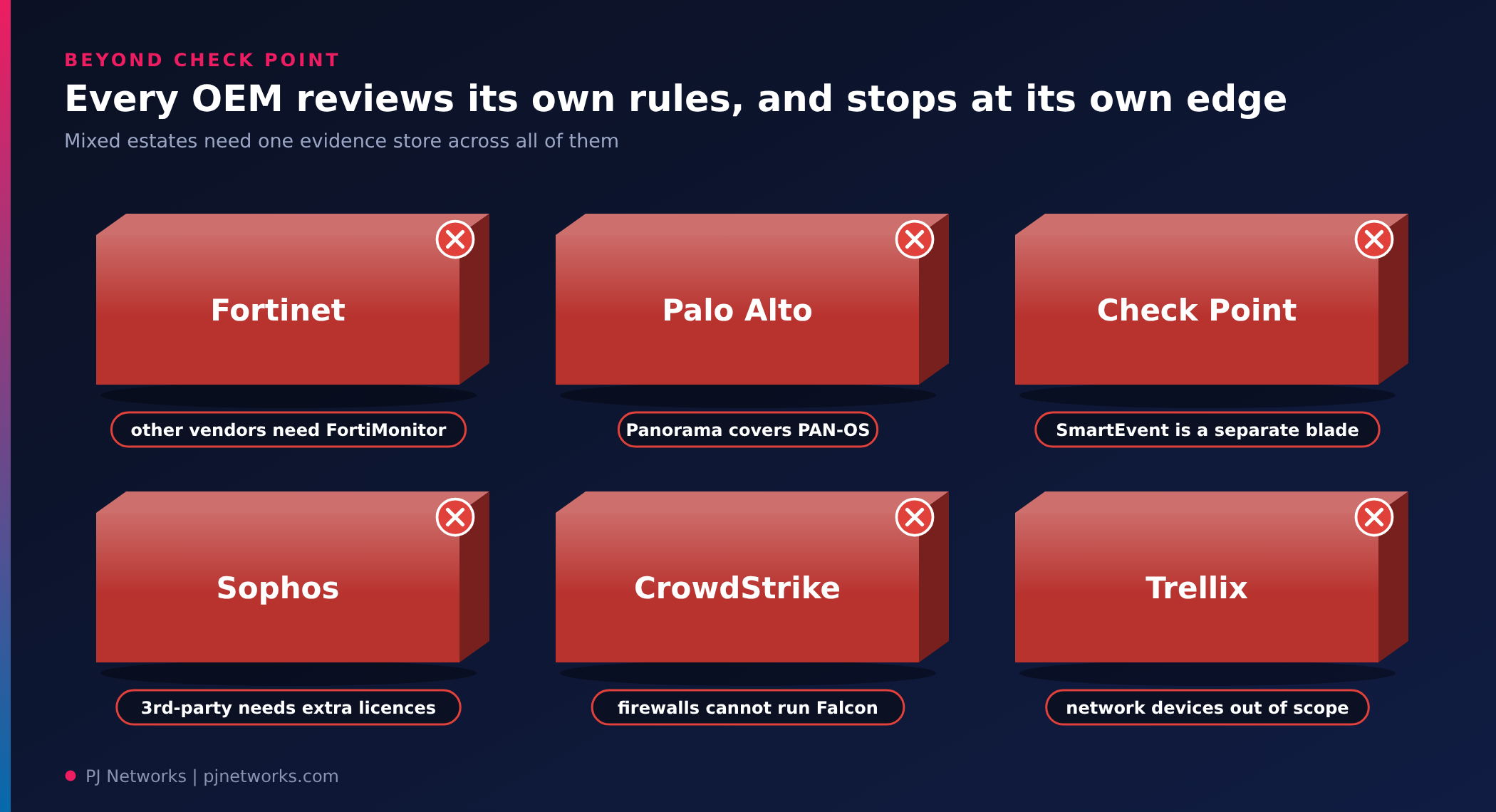
Every vendor does a decent job on its own policy and logs; the gap opens at the edge of its product line. That’s how single-vendor management is designed, not a flaw in any one of them.
| OEM | What you get, and where it stops |
|---|---|
| Fortinet | FortiManager and FortiAnalyzer handle FortiGate policies and logs well; other vendors’ devices need FortiMonitor, a separate product, and log retention depends on FortiAnalyzer storage and licensed volume |
| Palo Alto Networks | Panorama manages and logs PAN-OS firewalls; switches, APs and other vendors’ devices need another tool, and Strata Logging Service retention depends on storage purchased |
| Check Point | SmartConsole covers Check Point gateways with hit counts and revisions; SmartEvent correlation is a separately licensed blade |
| Sophos | Sophos Central manages Sophos firewalls, switches, APs and endpoints; third-party sources in Sophos XDR need integration licences |
| CrowdStrike | Falcon is agent-based, firewalls cannot run the agent, and network device configuration is outside its scope; Next-Gen SIEM ingestion is licensed by volume |
| Trellix | ePO manages Trellix agents and products; Helix is a separate product, and network device health is outside its scope |
| PrahiX | One store and one console for logs and configuration from all of the above, with 180-day retention, configuration diffs and compliance-mapped reports |
Remember the counter that reset during the firmware upgrade? Logs don’t reset. Each firewall writes the matching rule into its traffic logs, and Uni keeps those logs for 180 days, typically arriving within about ten seconds of the event. That gives you two full quarter-ends of evidence for every gateway in one search, rather than one export per console. RAYA AI, the agent inside Ora, answers questions in plain language, so the application owner in Phase 4 can ask what traffic a rule actually carried last month without learning a query syntax.
Uni’s drag-and-drop playbook builder has approval gates and version control, and connects to ServiceNow, Jira and Azure DevOps. A disable batch can wait on the owner’s approval, open the ticket, and post to Teams or email when it runs. For the weekly change review, configuration snapshots and diffs show what changed on the devices Uni monitors, and the immutable audit trail records before-and-after diffs for every fix Uni itself makes. When the auditor asks for the six-monthly review record, the evidence already exists.
Rules that let laptops upload freely to file-sharing sites point to PrahiX Data Protection, which watches 12 data movement channels with allow, warn, ask-the-DPO or block decisions. Old guest SSID exceptions are a natural fit for PrahiX Guest, which decides who gets on the guest network and keeps the consent record while the firewall keeps enforcing. Vendor remote-access rules for cameras and NVRs often belong with the camera monitoring system, the video surveillance (VMS) product that health-checks every camera and recorder. You can read more on our PrahiX Ora network monitoring page or on PrahiX’s multi-vendor diagnostics overview.
For card-data environments, PCI DSS v4.0 asks for a review at least every six months. Outside PCI, we suggest a light six-monthly pass on new and temporary rules plus a deep annual review of the whole rule base. Whatever the frequency, keep the record: auditors rarely ask whether you reviewed, they ask to see the signed output.
At least one full month that includes a month-end close. For rules touching finance, statutory filings, DR replication or annual processes, keep them disabled until the relevant event has passed. A disabled rule costs nothing to keep; a wrongly deleted one costs a rebuild under pressure.
A rule that can never match because a broader rule above it catches the same traffic first. Firewalls stop at the first match, so the lower rule shows zero hits even though traffic it describes flows every day. Before removing it, check whether it reflects the intended policy better than the broad rule doing the work.
The evidence gathering and classification can be largely automated, and so can staged disables behind an approval step. Owner sign-off cannot, because only the business knows whether a quiet rule supports a yearly process. Automate the analysis and the paperwork, and keep a human decision before anything is switched off.
Before you plan anything else, export the rule base from each firewall and note the date each hit counter last reset. Then turn on logging for every rule that doesn’t have it. That afternoon’s work starts the 90-day clock everything else depends on.
If you’d like a second pair of eyes, our firewall audit service runs this review across mixed-vendor estates and leaves you with the signed record. For teams planning a platform change at the same time, cleaning the rule base first makes a firewall migration much shorter.