- Join Our Company
- Email: sanjay@pjnetworks.com
- Phone: +91-9818361787


“Where does our customer data actually sit?” It’s the question IT heads have asked us most often since the DPDP Rules were notified, usually right after the legal team circulates a draft consent notice. Our honest answer, before we’ve looked at anything, never changes: in more places than your system list says.
DPDP personal data mapping is the unglamorous work underneath every other obligation in the Act. You can’t write an accurate notice, honour an erasure request, set retention or report a breach for data you can’t locate. And the locations that matter most are rarely the ERP. They’re the Excel export someone mailed to a collection agency two years ago, the scanned KYC folder on a branch file server, and the sales laptop that synced all of it.
The short answer: DPDP personal data mapping means building a living register of every place personal data is collected, stored, copied and shared, with an owner, a purpose and a retention period for each. Most mid-market firms can produce a usable first map in about 90 days by pairing process interviews with automated discovery across endpoints, file shares, mailboxes and databases.
The Digital Personal Data Protection Rules were notified on 14 November 2025 with an eighteen-month window for phased compliance, as the government’s explainer on the Rules sets out. On that schedule the consent manager provisions began on 13 November 2026, and most of the duties that fall on a data fiduciary (notice, security safeguards, breach intimation, erasure) apply from 13 May 2027.
Early in 2026 MeitY consulted industry on shortening that window. At the time of writing we haven’t seen an amendment notified, so we plan to May 2027 and check the gazette with counsel every quarter. What follows is an operator’s view of the technical work, not legal advice.
Why does mapping eat the calendar? Because IT can’t do it alone. Finance knows which vendor gets the salary file; HR knows the recruitment agency keeps CVs in its own cloud drive. Each fact costs a meeting, and in audit season every meeting slips a week.
So when the board asks about DPDP readiness, one status check cuts through the slideware. Can you show, for a single customer, every system that holds their data? If not, the notice, the retention policy and the breach plan are all being written blind.
A data map isn’t a network diagram or an application inventory. It’s a register where each row is one category of personal data in one location, and the columns are the questions an auditor, the Data Protection Board or an unhappy customer will eventually ask. We use six.
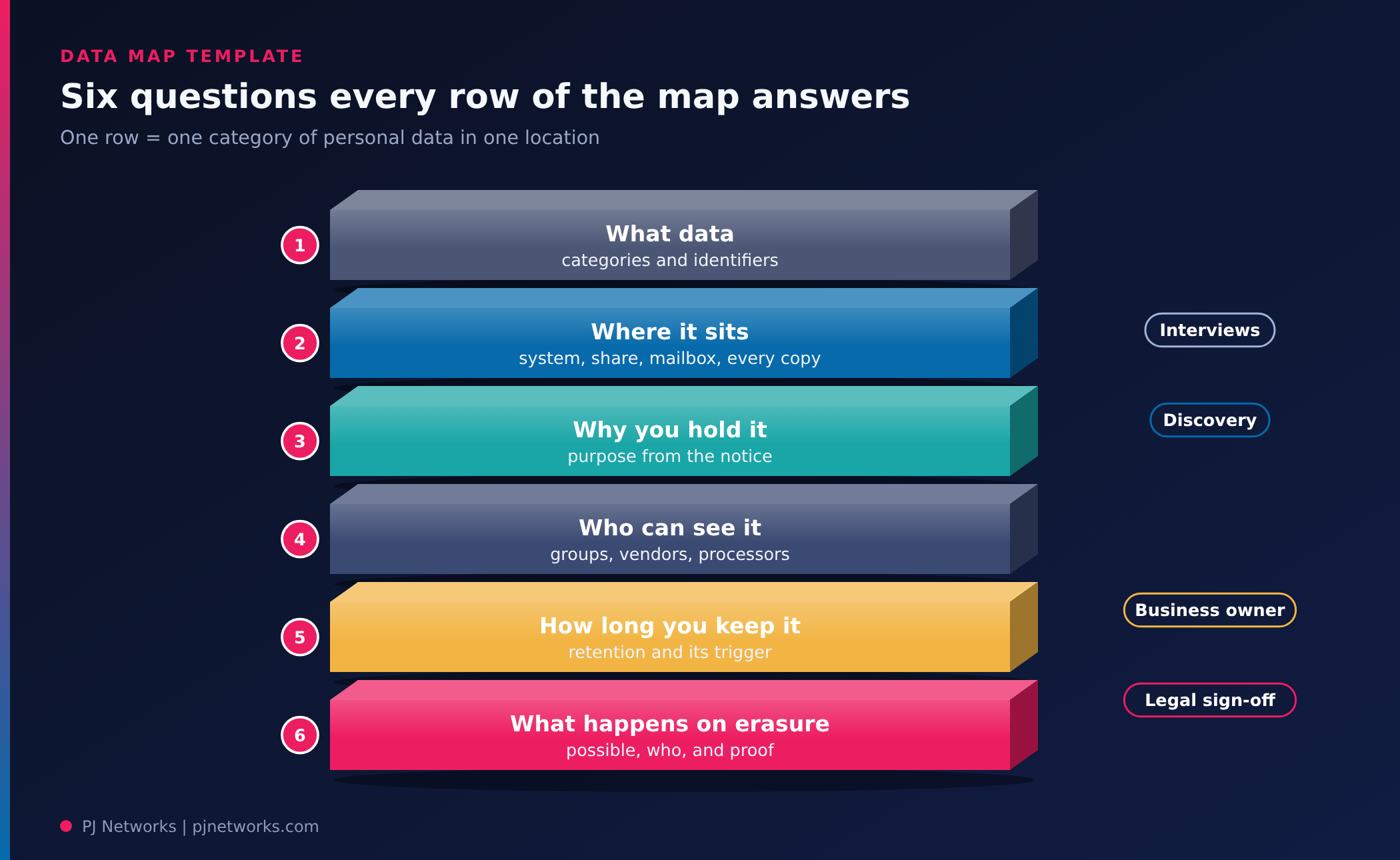
| Column | What to record | Who usually knows |
|---|---|---|
| What data | Category and identifiers present: name, mobile, Aadhaar, PAN, bank account, health notes | Process owner, confirmed by a scan |
| Where it sits | System, database and table, share path, mailbox or SaaS tenant, plus every copy | IT first, then discovery tooling |
| Why you hold it | The purpose stated in the notice the person actually saw | Business owner and legal |
| Who can see it | Groups, vendors and processors with access, in India and abroad | IT and procurement |
| How long you keep it | Retention period and the event that starts the clock | Legal, finance, HR |
| What happens on erasure | Whether deletion is possible, who does it, and how you prove it | Application owner |
Two columns cause most of the arguments. “Why you hold it” forces the business to admit to data kept just in case, and the Act is built around purpose. “What happens on erasure” exposes the systems where deletion isn’t possible without a vendor change request, which is far better discovered now than halfway through a rights request in 2027.
Here’s the 90-day shape we’d run at a mid-market firm with two people in IT. The order matters more than the dates.

The temptation is to buy a discovery tool on day one and point it at everything. We’d hold off for a month. A scanner without context hands you tens of thousands of hits and no way to tell a live business process from a forgotten export. Start with people.
List the business processes that touch individuals: customer onboarding, collections, payroll, recruitment, visitor management, warranty claims, the loyalty programme. Sit with each owner for an hour and trace one record from the form where it was collected to every place it lands.
Picture a hypothetical NBFC with 40 branches across Rajasthan and Gujarat. Onboarding alone might touch a tablet app, the loan origination system, a document folder and a WhatsApp group the field officers use to send photos of documents to the credit desk. That WhatsApp group is the reason we interview first. No scanner on your network will ever find it.
Processors are where maps go blind: collection agencies, the payroll bureau, couriers, the CRM sales bought on a corporate card. Procurement’s vendor master and the payments ledger are a faster source than any questionnaire. For each one, note what they receive and how it travels (SFTP, API or an emailed spreadsheet).
Every row needs a named business owner, and “IT” doesn’t count. If nobody will own a dataset, that usually means it should be deleted rather than protected.
With processes sketched, point automated discovery at the estate. This is the order we’d scan in, roughly from most surprising to least:
Indian identifiers need validation rather than pattern matching. Not every 12-digit number is an Aadhaar number, and a ten-character string isn’t necessarily a PAN. A tool that checks structure and check digits cuts false positives sharply, and one that reads scanned images finds the KYC photocopies that text search misses altogether.

Then hold one review meeting per process and compare what the scan found with what the interview said. The gaps are the point of the exercise. The scan usually turns up copies nobody mentioned: an old export on a manager’s desktop, complaint emails with ID proofs attached, a test database cloned from production with real mobile numbers.
A finished register that nobody acts on is just a spreadsheet. The last month is for the decisions the map makes possible.
That last point is where mapping pays back first. Under the CERT-In directions you already have six hours to report notified incident types, and we’ve planned that 6-hour reporting clock hour by hour before. The DPDP Rules add a second audience: affected individuals without delay, and a detailed report to the Data Protection Board within 72 hours. With a map, “what personal data was on that box?” is one query. Without one, it’s a day of guessing.
The most common failure is treating the map as a one-time deliverable. A consultant produces a handsome register in March, the CRM gets a new integration in May, and by audit time the register describes a company that no longer exists. Build the refresh into change management instead: any new system, vendor or data feed adds or updates its row before go-live.
Next comes scoping only structured data. Databases are easy to list and scan. The risk sits in unstructured files and mail, which is exactly where most programmes stop because the volumes look frightening.
Over-classification is the quiet killer: twenty sensitivity labels usually means nothing gets labelled. Four buckets (identifiers, financial data, health or children’s data, everything else) are plenty for year one.
There’s an honest trade-off with automated discovery: endpoint and mailbox scanning surfaces employees’ personal files too. Agree with HR what the scan looks for and who sees results before switching it on. Get that wrong and the privacy project becomes the source of a privacy complaint.
Finally, a map isn’t leak prevention; that’s a separate control, covered in our guide to data loss prevention under the DPDP Act. DLP rules written without a map protect the wrong folders.
Keeping the map accurate across a few hundred laptops, file servers and mailboxes is where we use PrahiX Data Protection. It’s part of PrahiX Ora, the unified SecOps platform built by PrahiX Tech Pvt Ltd that we deploy and operate for clients. It runs as a module on the existing endpoint agent, stores its data in India, and works alongside the DLP or EDR you already own. There’s more on our PrahiX Ora platform page and on the PrahiX Data Protection product page.
Plenty of Indian enterprises run Trellix, and its DLP products do a solid job of enforcing policy on data in use and in motion, managed centrally from ePO. For a DPDP map, the gaps show up after the data is found.
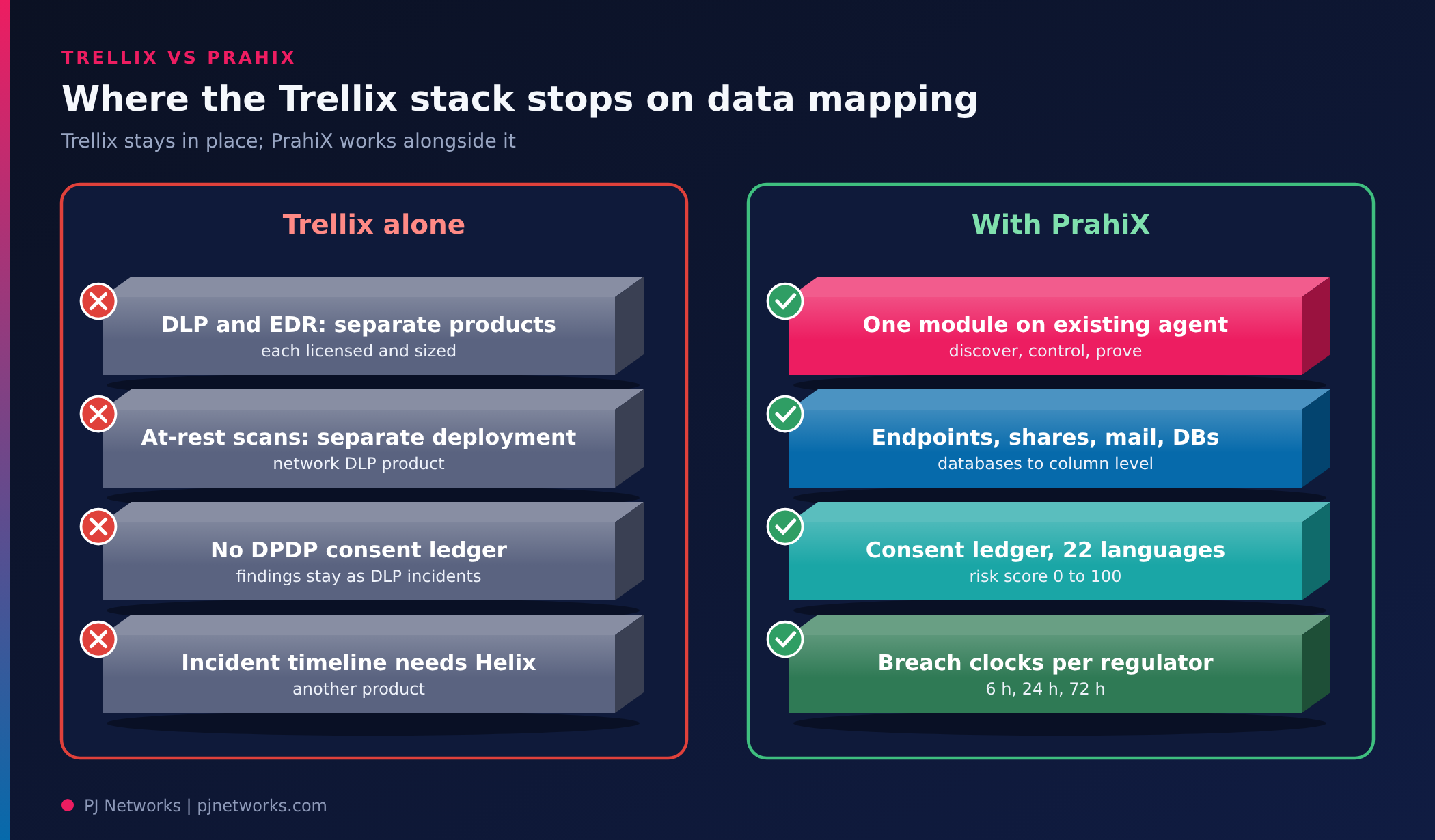
| With Trellix alone | With PrahiX |
|---|---|
| Trellix DLP Endpoint and DLP Network are separate products from Trellix EDR, each licensed and sized on its own | Discovery, movement control, consent and breach clocks in one module on the endpoint agent |
| Data at rest on shares and repositories is scanned by the network DLP product, a separate deployment from the endpoint agent | Endpoints, file shares, Microsoft 365 and Gmail sent mail, and databases down to column level from one place |
| Findings surface as DLP incidents and discovery reports; a DPDP consent ledger is not built in | Each location risk-scored 0 to 100 and tied to a consent ledger with notices in 22 Eighth Schedule languages |
| Turning a DLP event into an incident timeline needs Helix, another product | Live breach clocks: CERT-In 6 h, RBI/SEBI 6 h, IRDAI 24 h, DP Board 72 h |
| Rights requests and erasure proof are handled outside the DLP console | Rights requests and erasure with proof, on a 62-control DPDP scorecard with sealed evidence packs |
The discovery month depends on recognising Indian data accurately. PrahiX Data Protection looks for 14 Indian identifier types, among them Aadhaar, PAN, GSTIN, payment cards, UPI IDs, bank account numbers and passports, validates them by check digit, and runs OCR on scans so the KYC photocopy in a branch folder shows up beside the spreadsheet. Every location gets a risk score, which gives the review meetings a ranked list rather than a raw dump.
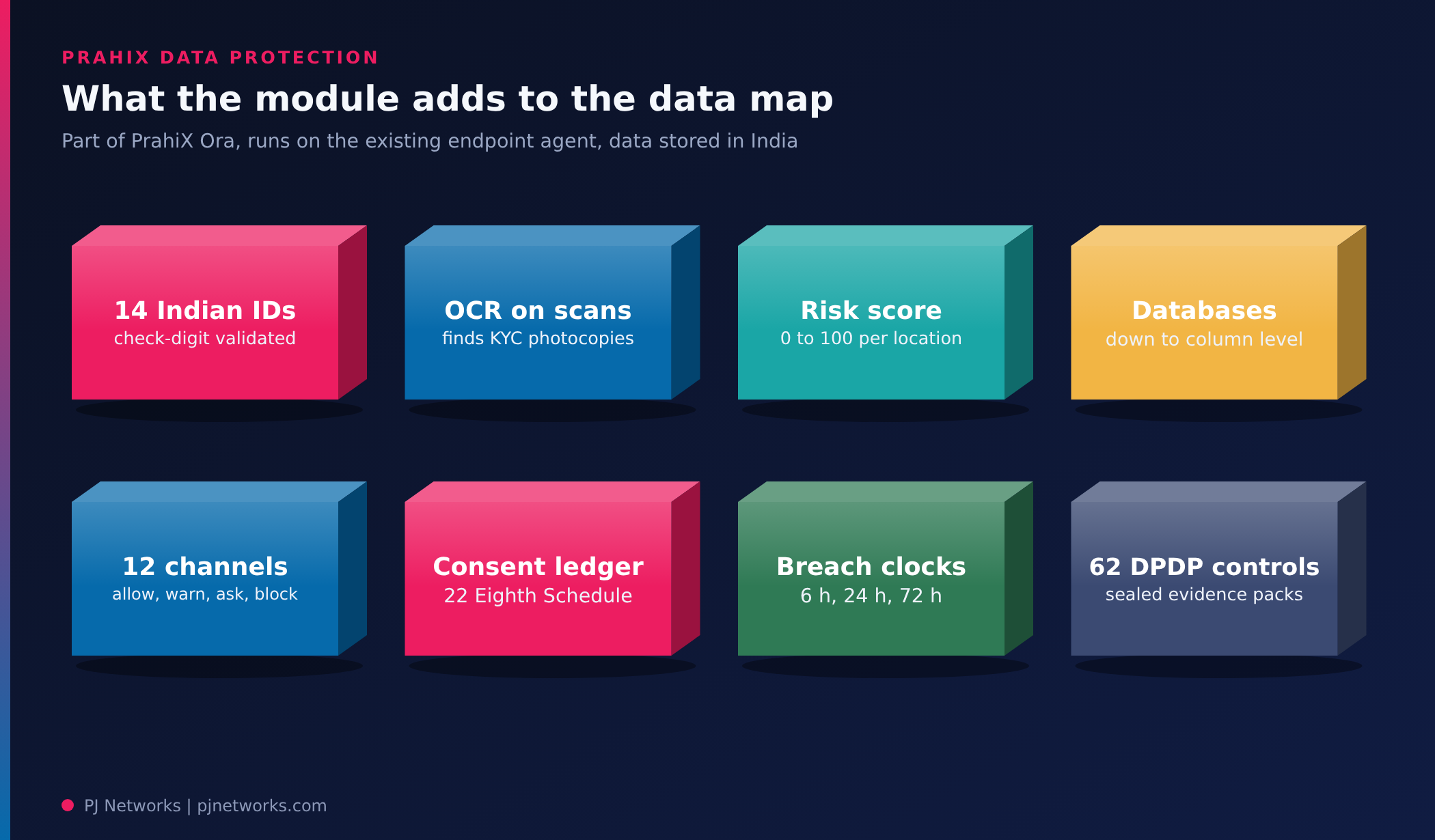
| Step in the 90-day plan | What the platform does |
|---|---|
| Scan shares, mail, laptops and databases | Discovery across all four, databases to column level |
| Find copies leaving the building | Watches 12 movement channels (browser uploads, email, USB, print, clipboard, sync folders and more) with allow, warn, ask the DPO or block |
| Feed the notice | Consent ledger and Consent API, notices in 22 languages |
| Wire it into the breach plan | Breach clocks per regulator, started from the incident |
The purpose column of your map becomes the notice text in the consent ledger, with versions kept. The erasure column becomes a rights-request workflow that records what was deleted and where, so the proof exists before anyone asks for it. When an incident touches a mapped location, the clocks start from the incident itself, and the scorecard’s evidence packs are ready for the auditor. None of it makes you compliant on its own; it helps you evidence what you do.
The pattern repeats across the large security vendors. Each offers DLP in some form, built around its own enforcement point, which is good for stopping a leak and weaker at answering where personal data lives and what you promised about it.
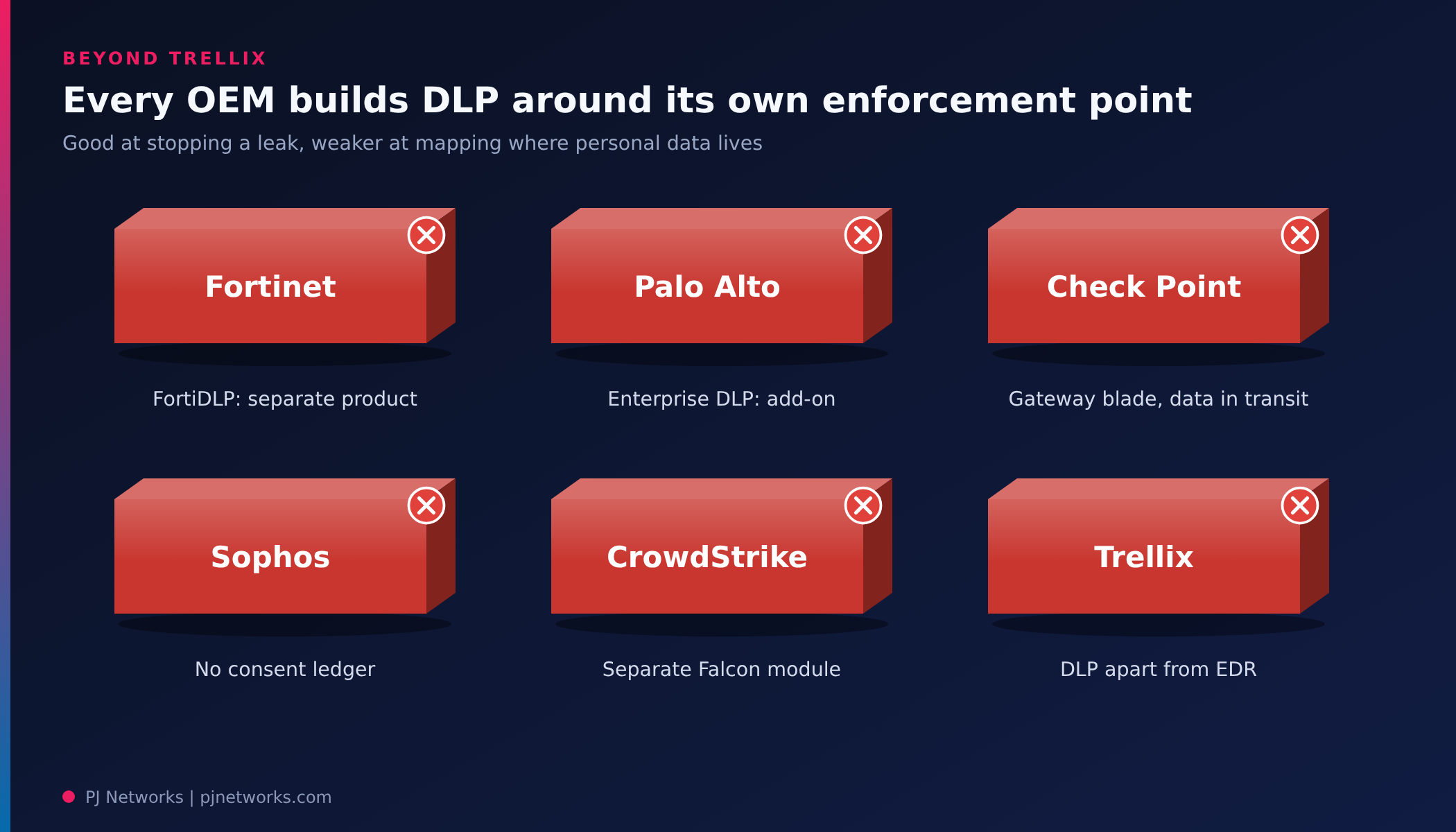
| OEM | What you get, and where it stops |
|---|---|
| Fortinet | FortiDLP is a separate product from FortiGate and FortiAnalyzer; reports are per product and no DPDP consent ledger is built in |
| Palo Alto Networks | Enterprise DLP is an add-on subscription on traffic and SaaS inspected by Palo Alto services; consent records and rights requests sit outside it |
| Check Point | DLP is a gateway software blade that sees data as it crosses the gateway; correlation needs SmartEvent, licensed separately |
| Sophos | DLP rules live in endpoint and firewall policies, with no consent ledger or rights-request workflow |
| CrowdStrike | Falcon Data Protection is a separate module for endpoints running the Falcon agent; consent and breach-clock records are outside its scope |
| Trellix | DLP Endpoint and DLP Network are separate products under the Trellix XDR umbrella, managed from ePO; DPDP duties are not built in |
| PrahiX | Finds, scores and controls personal data across endpoints, shares, mail and databases, and ties it to consent, rights and breach clocks, beside whichever of these you run |
PrahiX Uni keeps the logs from these systems for 180 days on tiered storage and can raise a Sigma-based detection when a mapped share sees unusual mass reads. RAYA AI writes the incident narrative and executive summary your DPO will need for the Board. The camera monitoring system, our video surveillance (VMS) layer, matters because CCTV footage of visitors is personal data too, and its coverage reports answer “was this camera working on the 14th?”. PrahiX Guest records versioned consent on every guest Wi-Fi login, which is one more row your map can tick off.
The Act and Rules don’t use the phrase “data map”. But notice, purpose limitation, erasure, security safeguards and breach intimation all assume you know where personal data is held. A register is the most practical way to show an auditor or the Data Protection Board that you do. Ask counsel how to document it for your sector.
Partly. Most DLP products scan for patterns on endpoints or in traffic, and some scan shares. Check three things: whether it validates Indian identifiers rather than matching any 12-digit number, whether it reads scanned images, and whether its findings can be exported with an owner and purpose attached. Without those, you’ll still be building the register by hand.
Yes. Employees are data principals too, and payroll, attendance, background checks and CCTV all hold their data. Some processing for employment purposes is covered under the Act’s legitimate uses, so consent may not be the basis, but security safeguards, retention and breach duties still apply. HR is often the second-largest section of the map after customers.
Tie it to change rather than the calendar. Every new application, vendor or integration should add or update its row before go-live, and a full rescan once a quarter catches what slipped through. With continuous tooling, the quarterly exercise becomes a review of exceptions rather than a fresh project.
Pick your highest-volume process, usually customer onboarding, and with its owner follow a single real record from the form to every system, share, mailbox and vendor holding a copy. Write each stop as a row with the six columns above. It takes an afternoon and tells you more than a forty-page gap assessment.
If you’d like a second pair of hands, our team runs DPDP readiness and data discovery engagements for mid-market firms, and we can operate the tooling afterwards so the map stays current. For the control that comes after mapping, see our DLP solutions for Indian enterprises.